
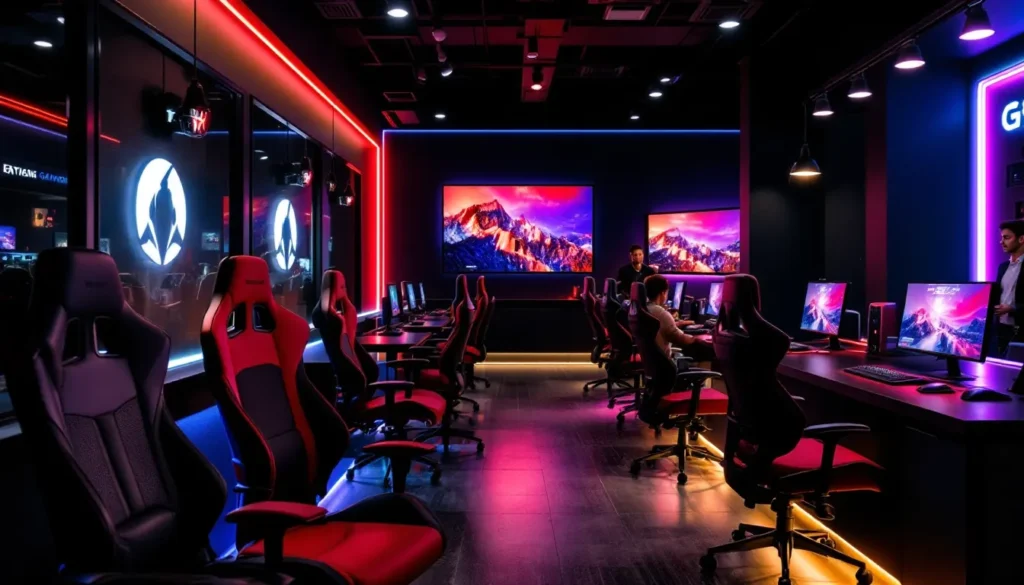
Gaming cafes are back and they’re bigger than ever. Whether you’re thinking about opening one or just curious about the resurgence, 2026 is the perfect time to understand what makes a plug and play gaming cafe tick. These spaces blend community, competition, and cutting-edge hardware into experiences that can’t be replicated at home. They’ve evolved from dimly lit Internet cafes of the 2000s into fully realized entertainment venues, complete with premium gaming PCs, next-gen consoles, competitive esports setups, and atmospheres designed to keep players coming back. The beauty of a plug and play setup is that the hardware is ready to go the moment customers walk through the door. No installation hassles, no driver conflicts, no waiting. Just walk in, sit down, and play. This guide breaks down everything you need to know about launching, managing, and optimizing a plug and play gaming cafe in 2026.
Key Takeaways
- A plug and play gaming cafe delivers instant gaming access with pre-configured PCs, consoles, and peripherals—no setup required, allowing customers to play within minutes of arrival.
- Gaming cafes thrive on diversified revenue streams including hourly rentals, memberships, food and beverage sales, tournaments, and sponsorships rather than relying on single income sources.
- High-quality peripherals, ergonomic seating, and proper networking infrastructure are essential investments that directly impact customer satisfaction and repeat business.
- Building a loyal gaming community through Discord servers, weekly tournaments, leaderboards, and staff expertise transforms a plug and play gaming cafe from a venue into a destination.
- Regular hardware upgrades every 18–24 months for GPUs and planned maintenance schedules prevent obsolescence and downtime that directly erodes revenue and reputation.
What Is A Plug And Play Gaming Cafe?
A plug and play gaming cafe is a physical space where customers pay to access premium gaming hardware and high-speed internet without needing to set anything up themselves. The “plug and play” designation means the entire environment is pre-configured: PCs are already loaded with games, consoles are connected to displays, peripherals are calibrated, and networking is optimized. Customers arrive, select a station or reserve one online, and start playing within minutes.
These cafes cater to several customer types. Casual gamers visit for social hangouts and party games. Competitive players use them for ranked matches in titles like League of Legends, Valorant, Counter-Strike 2, and Dota 2. Console enthusiasts access the latest PlayStation 5, Xbox Series X, and Nintendo Switch titles. Mobile gamers sometimes stop by for couch co-op or tournament play.
The modern gaming cafe model differs drastically from its predecessor. Rather than relying solely on one-off hourly rentals, successful 2026 cafes employ hybrid revenue streams: memberships, event hosting, food and beverage sales, merchandise, and esports tournament sponsorships. This diversification ensures stability and encourages repeat visits.
Location matters enormously. Urban areas with younger demographics, proximity to universities, and access to reliable high-speed internet are ideal. Suburban locations can work if the cafe positions itself as a social destination alongside gaming. The key differentiator isn’t just the hardware, it’s the experience and community built around it.
Why Gaming Cafes Are Making A Comeback
Gaming cafes nearly vanished during the pandemic, but they’re roaring back for solid reasons. First, there’s the fundamental shift in how people socialize. After years of isolation, gamers actively seek in-person communities again. Playing Elden Ring in your bedroom is fine, but playing Super Smash Bros. Ultimate on a 65-inch display next to friends and strangers is an entirely different energy.
Second, hardware costs have skyrocketed. A mid-range gaming PC capable of 1440p 144Hz gaming costs $1,500–2,500. A PlayStation 5 costs $500 and sits on store shelves inconsistently. For casual gamers, a gaming cafe offers a way to experience premium hardware without commitment. No risk of a $2,000 computer gathering dust if interest fades.
Third, esports infrastructure is booming. The competitive gaming scene generated over $1.8 billion globally in 2024 and continues growing. Cafes positioned as esports training grounds and tournament venues tap into this expansion. They’re not just entertainment hubs, they’re competitive arenas where aspiring pros hone their craft.
Fourth, internet reliability has improved dramatically in most developed markets. Fiber connectivity enables speeds that support 200+ concurrent players with minimal latency. In 2016, this was a nightmare scenario: in 2026, it’s standard.
Finally, there’s nostalgia mixed with novelty. The cafe aesthetic appeals to millennials and Gen Z simultaneously, throwback vibes merged with bleeding-edge tech. Think neon lighting, RGB peripherals, energy drink sponsorships, and community events. This combination drives foot traffic and social media buzz that traditional venues can’t match.
Essential Hardware You’ll Need
Gaming PCs And Consoles
Your hardware selection depends on your target audience and budget, but most viable cafes run a mix of platforms.
Gaming PCs are the backbone. For a functioning cafe in 2026, you need systems capable of:
- 1440p resolution at 144Hz+ framerates for competitive shooters
- 4K 60Hz gaming for open-world titles and single-player campaigns
- VR-ready specs for platforms like Meta Quest Pro or PlayStation VR2 (optional but increasingly popular)
Recommended specs per machine:
- CPU: Intel i7-13700K or AMD Ryzen 7 7700X
- GPU: RTX 4070 Super or RTX 4080 minimum for competitive performance
- RAM: 32GB DDR5
- Storage: 1TB NVMe SSD (games install fast: you’ll need it)
- Power Supply: 750W+ 80+ Gold rated
- Monitor: 27-inch 1440p IPS or VA, 144Hz+ (or dual 24-inch setups)
Budget roughly $1,800–2,500 per PC build, including peripherals. A 20-station cafe means $36,000–50,000 before monitors, chairs, and networking gear.
Consoles add value and accessibility. PlayStation 5 and Xbox Series X are musts for 2026. Nintendo Switch stations are optional but popular for group play and casual audiences. Budget $2,500–3,500 for three console stations (console + 2–4 controllers + TV + sound system each).
VR setups merit consideration if you’re targeting premium experiences. PlayStation VR2 or high-end PC VR (Valve Index, HTC Vive) create memorable moments but require dedicated space and trained staff.
Peripherals And Accessories
Peripherals make or break the experience. Cheap peripherals feel awful, encourage churn, and damage reputation.
Mice and keyboards: Invest in gaming-grade peripherals. Mechanical gaming keyboards (CORSAIR K95 Platinum, SteelSeries Apex Pro) at $150–180 per station feel responsive and last longer than budget alternatives. Gaming mice matter enormously for competitive players: SteelSeries Rival 650, Logitech G Pro X, and CORSAIR M65 Elite are reliable choices at $60–80 each.
Headsets: Quality audio is non-negotiable. Budget $80–120 per headset. RTINGS has detailed gaming headset comparisons that break down soundstage, microphone quality, and comfort for extended play, essential when customers might wear headsets for 3+ hours.
Chairs: This is where people notice quality or cheap-ness immediately. Gaming chairs in the $200–400 range (Secretlab, Herman Miller, CORSAIR T3) last years and prevent refund complaints about back pain. A $100 knockoff chair breeds resentment.
Mousepads: Larger extended pads ($30–50) prevent mishaps and feel professional.
Display peripherals: Cable management, monitor arms, and RGB lighting fixtures that look clean matter aesthetically. Budget $50–100 per station for these finishing touches.
Networking And Infrastructure
Network performance directly impacts customer satisfaction. Laggy gameplay ruins everything.
Internet connectivity: Fiber optic ISP with at least 300 Mbps download and 100 Mbps upload. If you run 20 simultaneous multiplayer sessions, you’re pushing 15–20 Mbps per active player. Fiber ensures headroom. Redundant ISP connections (primary fiber + backup cable) cost more but prevent complete shutdowns.
Local networking: Gigabit switches, cat6/cat6a cabling, and a dedicated gaming VLAN separate from customer WiFi. Each PC connects via Ethernet (no WiFi for competitive stations, latency variance matters). WiFi is acceptable for casual stations only. Budget $2,000–3,000 for networking hardware and installation.
WiFi coverage: Dedicated 5GHz WiFi for console and mobile gaming areas. Mesh systems (Ubiquiti, Aruba) provide reliability and seamless coverage. Budget $1,500–2,500.
Router/firewall: A business-grade edge device (Ubiquiti EdgeRouter Pro, Fortinet FortiGate) handles traffic shaping, QoS enforcement, and security. This prevents one customer’s torrenting from destroying everyone else’s latency. Budget $500–1,500.
Software Setup And Game Libraries
Choosing The Right Operating Systems
Most competitive gaming PCs run Windows. As of 2026, Windows 11 is standard, though some gamers still prefer Windows 10 for stability. Both work fine. The key is keeping OS installations minimal, only essential drivers, anti-cheat clients, and gaming platforms.
Game distribution platforms:
- Steam: 90% of PC gamers expect this. Install it on all systems and enable Family Library sharing to optimize storage space.
- Epic Games Store: Required for Fortnite, Valorant, and rotating free-to-play titles. Popular with casual audiences.
- Battle.net: Essential for Blizzard titles (Overwatch 2, Diablo IV, World of Warcraft).
- Game Pass for PC: Subscription with 100+ titles. Offering Game Pass on station PCs is a differentiator, customers pay to access it through your cafe system.
Console OS: PlayStation 5 and Xbox Series X run proprietary OSes. No customization needed: just maintain accounts and ensure subscriptions (PlayStation Plus, Game Pass) stay active.
Management software: Consider gaming cafe management platforms like GameServ or CyberCafe.Cloud to track usage, automate billing, monitor hardware health, and restrict inappropriate content. These cost $200–500/month depending on station count but automate operations significantly.
Building A Diverse Game Collection
Your game library should reflect your audience mix. Start with these categories:
Competitive multiplayer (essential):
- Counter-Strike 2
- Valorant
- League of Legends
- Dota 2
- Overwatch 2
- Apex Legends
Casual/party games (drive footfall):
- Super Smash Bros. Ultimate
- Mario Kart 8 Deluxe
- Fall Guys
- Among Us
- It Takes Two
- Jackbox Party Packs
Single-player/narrative-driven (retention for solo players):
- Baldur’s Gate 3
- Elden Ring
- Palworld
- Helldivers 2
- Cyberpunk 2077
Free-to-play (low barrier to entry):
- Fortnite
- Warzone
- Team Fortress 2
Console exclusives (drive console revenue):
- PlayStation: Final Fantasy VII Remake, Ghost of Tsushima
- Xbox: Starfield, Avowed
- Nintendo: Zelda: Tears of the Kingdom
Maintain licenses properly. Game licenses for commercial use differ from personal licenses. Steam allows commercial play in cafes if you own a license per station. For some games, you need business-tier licensing (contact publishers directly).
Keep your library current. New releases matter enormously, gamers check out a cafe partly to try new AAA titles on day one. Budget $500–1,000/month for new purchases and subscription services.
Designing Your Gaming Cafe Space
Layout And Station Configuration
Layout determines whether players feel cramped or comfortable, and it impacts supervision and operational efficiency.
Station spacing: Each PC station should occupy roughly 20–25 square feet (gaming chair, desk, monitor arm, peripheral space, and breathing room). Avoid cramming stations together. Players need psychological space: tight layouts feel arcade-y and claustrophobic to older demographics.
Station types: Design multiple configurations to serve different player needs:
- Competitive stations (40% of total): Single high-performance PC, two 27-inch monitors (or one 32-inch), mechanical keyboard, gaming mouse, high-end headset. Chairs oriented to minimize distractions. These stations cost more but attract serious players who’ll rent multiple hours and generate higher revenue.
- Casual stations (40% of total): Mid-range PC with single 27-inch monitor. Still comfortable but less premium. Target social gamers and budget-conscious players.
- Console lounges (20% of total): Seating clusters around a 65-inch TV with PS5 or Xbox Series X. Sofas or gaming chairs facing the screen. These stations thrive for group play and party games.
Sound isolation: Noisy mechanical keyboards and voice chat create audio chaos. Consider acoustic panels or fabric-covered dividers between stations. Don’t soundproof entirely (kills atmosphere), but absorb highs and mids to prevent headache-inducing noise floors.
Sightlines: Position staff at elevated points to monitor all stations (security, ToS compliance, troubleshooting). Blind corners breed problems.
Comfort And Ergonomics
Players rent time in these spaces for hours. Discomfort drives chargebacks and bad reviews.
Seating: Gaming chairs aren’t just aesthetic, they’re functional. Back support matters when someone’s sitting for 4 hours straight. Budget brands fail after six months. Secretlab, Herman Miller, and CORSAIR chairs retain comfort after 2+ years of commercial use.
Desk height: Standard 30 inches works for most players, but accommodate adjustable-height desks if possible. It’s a luxury differentiator and appeals to players with RSI concerns.
Monitor height: Top of the monitor should align with eye level when sitting. Poor monitor positioning causes neck strain and complaints.
Cooling: Gaming rigs generate heat. Adequate air conditioning and possibly case fans on high-performance systems keep hardware from throttling and players from sweating through their clothes.
Lighting: Avoid harsh overhead lighting that creates glare and eye strain. LED panels behind monitors (bias lighting) reduce eye fatigue and look professional. Dimmable ambient lighting sets mood without creating screen reflections.
Atmosphere And Aesthetics
Atmosphere is what separates a gaming cafe from a computer lab. It’s the reason people choose your space over staying home.
Visual design: RGB lighting, modern finishes, and clean cable management signal professionalism. Neon accents, LED strips, and branded signage create that “esports lounge” vibe. Avoid looking like a 2010s internet cafe (yellow walls, ancient posters). Modern doesn’t require overspending, strategic lighting and consistent color schemes work.
Audio ambiance: Curated background music (not too loud) or ambient esports event audio in main areas creates energy without distracting from gameplay. Consider allowing players to control their personal audio via Spotify or YouTube on individual stations.
Seating areas: Beyond gaming stations, include lounge seating for spectators, a waiting area with snacks/drinks, and a merchandise corner. These spaces aren’t directly revenue-generating but improve the experience and provide flexibility (friends waiting for a station to open up, casual spectating tournaments).
Cleanliness: This cannot be overstated. Daily cleaning of peripherals, keyboards, mice, and headsets is essential. Gaming cafes have reputations for being grimy, shatter that expectation through visible hygiene practices. Hand sanitizer stations, microfiber cloths at each station, and regular deep cleans build trust.
Branding: Consistent branding throughout (logo, color scheme, typography) makes the space feel intentional. It’s the difference between “some guys set up gaming computers” and “a real business.”
Consider how your space might integrate features that enhance your gaming experience, a sleek, modern setup where every element is designed to enhance your gaming adds immense value.
Managing Operations And Community
Membership And Pricing Models
Pricing strategy directly impacts sustainability. Hourly rates alone won’t support a cafe: layered revenue models are essential.
Hourly rates: Base rate varies by region and station type. Competitive stations rent for $8–15/hour. Casual stations, $5–10/hour. Console lounges, $3–8/person/hour (group dynamic). Adjust based on local purchasing power and competition.
Membership tiers:
- Casual: $20/month, 10% discount on hourly rates, priority booking via app.
- Power Player: $60/month, 25% discount, reserved peak-time slot, 5 free tournament entries/month.
- VIP: $150/month, 40% discount, dedicated station reservation, exclusive tournament access, priority technical support.
Memberships create predictable recurring revenue and encourage loyalty. Aim for 30–50% of active players on a membership tier.
Food and beverage: Mark up energy drinks, snacks, and coffee 200–300%. This is where small cafes often make unexpected profit. Partner with local suppliers if possible, it’s cheaper and supports community relationships. Offer fountain drinks at $3–5, coffee at $4–6, energy drinks at $4–7, snacks at $2–5.
Tournament and event revenue: Hosting a local $500 buy-in tournament brings 30–50 players, generates $15,000–25,000, and creates buzz. Host monthly or quarterly events. Even small tournaments ($200 buy-in, 10 players) become worthwhile with minimal overhead.
Sponsorship: Local brands, gaming peripheral companies, and energy drink manufacturers sponsor events for branding. A sponsorship covering costs + 30% of prize pool is realistic.
Building A Loyal Gaming Community
Community transforms a cafe from a venue into a destination.
Discord server: Create a private Discord where regulars connect, organize teams, discuss meta shifts, and share highlights. Active moderation keeps it welcoming. This digital space extends your brand’s reach beyond the physical location.
Regular events: Weekly tournaments in rotating games (Monday: CS2, Wednesday: League, Friday: Smash Bros.). Monthly showcases. Seasonal championships. Consistency matters, players plan around these events.
Staff expertise: Employ staff who actually game and understand community dynamics. Someone who’s hit Immortal in Valorant or Grandmaster in StarCraft connects with players differently than a retail cashier. Pay slightly above local minimum wage to attract quality staff, turnover is costly.
Social media presence: Post tournament brackets, player achievements, setup showcases, and event recaps. TikTok clips of clutch moments and Instagram Stories during events drive discovery. Partner with content creators and streamers, offering free station time for content is cheap advertising.
Leaderboards and recognition: Visible leaderboards (physical or digital) for CS2, Valorant, League, etc. recognize top players and encourage competition. Monthly “Player of the Month” spotlights create investment in your brand.
Welcoming new players: Establish a “newcomer” program with discounted first sessions and mentorship pairings. New players intimidated by competitive environments are more likely to return if someone shows them the ropes.
Hosting Esports Events And Tournaments
Esports events are reputation builders and revenue multipliers.
Organizational logistics:
- Technical setup: Dedicated tournament server/client, OBS streaming setup, capture cards for console tournaments, commentary booth with XLR mics and audio mixer.
- Format: Single-elimination or round-robin depending on player count. Best-of-3 or Best-of-5 matches for finals. Clear ruleset and anti-cheat enforcement.
- Spectating: Display matches on large screens in waiting areas. Enable Twitch or YouTube streaming for community reach. Many potential customers discover your cafe through tournament clips.
- Scheduling: Avoid peak business hours unless the event generates more revenue than regular rental. Saturday afternoons or weekday evenings work well.
Tournament structures:
- Weekly grassroots: $50–100 buy-in, 8–16 players, modest prize pool ($150–300). Low overhead, high participation.
- Monthly majors: $200–500 buy-in, 20–40 players, $2,000–5,000 prize pool. Sponsored partially or fully. Attracts competitive players from surrounding areas.
- Seasonal championships: End-of-season tournament showcasing the year’s top players. Larger spectator draw, potential media coverage, memorable moments.
With proper positioning, you might boost your gaming performance by offering training resources. Resources like strategies for boosting your gaming performance help players optimize their experience and build loyalty through shared knowledge.
Maintenance And Technical Support
Regular Hardware Upgrades
Hardware obsolescence is constant. A PC that’s top-tier in 2024 feels dated by 2026. Plan for incremental upgrades, not wholesale replacements.
GPU upgrades: Graphics cards improve significantly every 18–24 months. RTX 40-series cards were bleeding-edge in 2023: by mid-2025, RTX 50-series will dominate benchmarks. Budget $3,000–5,000 annually to rotate outdated GPUs, starting with competitive stations. Newer competitive players expect high framerates: casual stations can run last-gen hardware longer.
CPU/RAM updates: Less critical than GPU updates but still important. By 2026, DDR5 RAM is standard: most DDR4 systems still perform adequately. Plan CPU refreshes every 3–4 years. Budget $2,000–3,000 annually.
Storage expansion: Games are massive (80GB+ is common). SSDs fill up fast with 20 titles installed. Budget for SSD replacements or upgrades quarterly. 2TB SSDs cost $150–200: a full rotation of 20 stations every two years means $6,000–8,000 annually.
Peripheral replacements: Mechanical keyboards and mice wear out. Budget $100–150/station annually for replacements. Headsets deteriorate: earpad replacement kits extend lifespan, but full replacements every 2–3 years are realistic (20 headsets × $100 = $2,000 every 2 years).
Maintenance schedule: Track hours on each station. After 5,000 hours of use, conduct preventative maintenance: clean fans, replace thermal pads, check capacitors. This extends lifespan significantly.
Troubleshooting Common Issues
Downtime kills revenue and reputation. Fast troubleshooting is critical.
Driver conflicts: Updates occasionally break games. Maintain a “previous driver version” backup or rollback procedures. Nvidia and AMD driver download pages allow quick rollbacks, have technicians familiar with this process.
Game crashes: Verify integrity of game files (Steam’s built-in tool), check DirectX 12 vs. DirectX 11 settings, ensure recent OS updates are installed. Have a troubleshooting flowchart posted for staff. Most crashes are software-related and fixable without hardware swaps.
Network latency issues: Test ping regularly. Latency spikes often indicate ISP congestion or one machine torrenting. QoS (quality of service) settings on your router throttle offenders without killing connections. If frequent, escalate to ISP support.
Hardware failures: Keep spare PSUs, RAM sticks, and SSDs on-hand for quick swaps. A spare RTX 4070 is overkill, but having a mid-range backup GPU prevents competitive station downtime during RMA processing.
Monitor/peripheral failures: Spare monitors and peripherals prevent “out of service” signs. Budget $500–1,000 annually for emergency replacement stock.
Overheating: Thermal throttling ruins framerates. Repaste GPUs/CPUs annually or after 2,000+ hours. Replace case fans if loud (acoustic comfort). Ensure AC systems maintain 68–72°F during peak hours.
Software corruption: Weekly backups of OS images and game installations prevent major disasters. Ghost images on external drives allow rapid station restoration if OS corruption occurs.
Customer-caused damage: Spilled drinks, aggressive key-smashing, and thrown mice happen. Document incidents, enforce usage policies, and charge damage fees transparently. Install protective covers (keyboard skins, monitor bezels) on vulnerable stations.
Consider implementing cafe management platforms that monitor hardware health remotely. Alerting you to failing drives, overheating components, or crashes allows proactive replacement before customer-facing downtime.
Looking at broader gaming setup optimization, exploring the ultimate CyberPowerPC Gamer Xtreme gaming PC can provide inspiration for what premium, high-performance hardware looks like at scale.
Also, exploring resources like those from How-To Geek can offer practical troubleshooting steps and maintenance guides that apply directly to gaming cafe operations. RTINGS provides in-depth reviews of gaming peripherals and displays to inform your hardware purchasing decisions. Coverage from NME Gaming keeps you updated on game releases and esports trends affecting your content rotation.
Conclusion
Building a plug and play gaming cafe in 2026 isn’t just about acquiring hardware, it’s about creating a destination where players prefer to spend time over gaming at home. The technical foundation (PCs, consoles, networking) provides the baseline, but the true competitive advantage lies in community, events, and thoughtful operational design.
Success requires balancing multiple revenue streams: hourly rentals, memberships, food and beverage, tournaments, and sponsorships. No single revenue source sustains a modern cafe. Equally important is maintaining equipment through regular upgrades and responsive technical support. Downtime is silent revenue loss.
The market for gaming cafes is genuinely growing again. Gamers crave community and access to premium hardware without ownership costs. Your job is to deliver that reliably, safely, and profitably. Start with solid hardware selections, invest in your staff and community-building efforts, and treat maintenance as a non-negotiable operational cost.
With proper planning and execution, a plug and play gaming cafe can thrive in 2026 and beyond.