
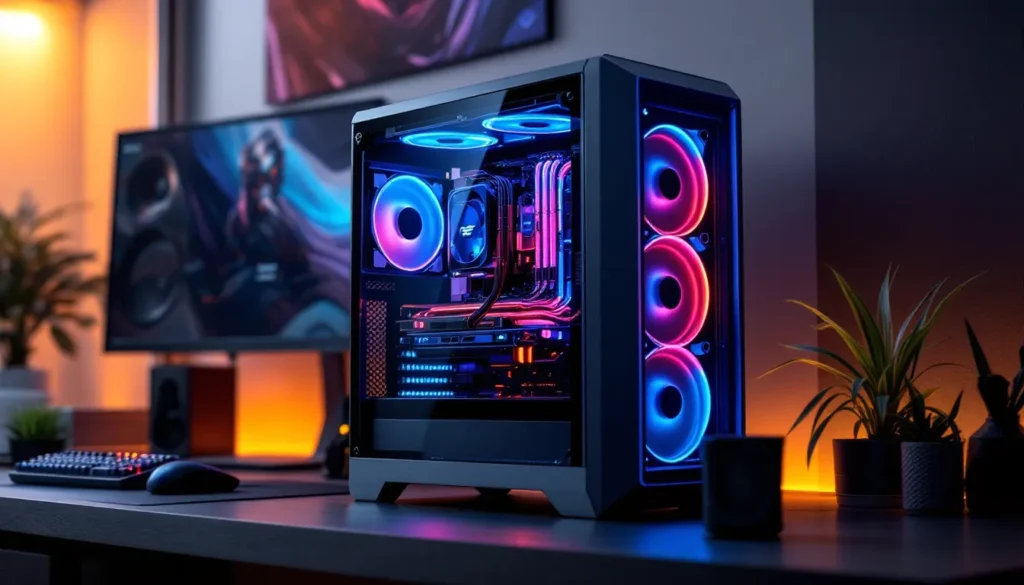
If you’re serious about gaming, your desktop is your weapon. ASUS gaming desktops have carved out a reputation for delivering the performance, reliability, and cooling solutions that competitive players and content creators actually need, not just flashy RGB marketing. Whether you’re chasing 240 FPS in esports titles, crushing AAA games at max settings, or streaming while playing, ASUS has built systems specifically designed for these demands. This guide walks you through what separates ASUS rigs from the competition, how to decode their product lines, and which specs matter for your specific gaming profile. We’ll cover real benchmarks, honest breakdowns of different price tiers, and the details that actually impact frame rates and stability when you’re grinding ranked matches or recording the next viral clip.
Key Takeaways
- ASUS gaming desktops stand out through purpose-built engineering like ROG Intelligent Cooling, dual-chamber design, and quality components that prevent thermal throttling during extended competitive play and streaming sessions.
- Different gaming profiles require different specs: competitive esports needs powerful CPUs for 240+ FPS, AAA games demand strong GPUs for high-resolution visuals, and streaming requires multi-core processors with hardware video encoders.
- Mid-range ASUS configurations ($1,800–$2,200) deliver 80–85% of high-end performance at half the cost, making them the best value for most gamers unless you’re streaming professionally or competing for prize money.
- ASUS gaming desktops feature modular, upgradeable designs that prevent obsolescence—you can expand RAM, swap storage, and upgrade components without full rebuilds, extending your investment’s lifespan.
- Entry-level systems start around $900–$1,200 for 1080p gaming, while premium ROG models ($4,500+) with RTX 4090 GPUs justify their cost for demanding 4K ray-traced gaming and professional content creation workflows.
What Makes ASUS Gaming Desktops Stand Out
Key Features & Technology
ASUS gaming desktops distinguish themselves through purpose-built engineering rather than generic high-spec boxes. The brand’s ROG Intelligent Cooling technology manages thermals across CPU and GPU simultaneously, crucial when running sustained loads during competitive matches or streaming sessions. Most ASUS gaming rigs use a dual-chamber design that separates hot components, reducing thermal interference and keeping GPUs and CPUs at optimal temperatures without excessive fan noise.
Connectivity is often overlooked but matters for competitive players. ASUS includes Wi-Fi 6E (on higher-end models) and strategically placed USB ports, multiple USB 3.2 Gen 2 ports positioned on the front for quick peripheral swaps, especially important for esports athletes switching between peripherals. The power supplies in ASUS gaming desktops are rated higher than minimum specs: you’ll typically see 750W+ on systems with mid-range GPUs, leaving headroom for power spikes and future upgrades.
Built-in cable management systems reduce airflow obstruction and aesthetic clutter. ASUS implements tempered glass panels on most gaming models, letting you see internal components while maintaining structural integrity. These aren’t cosmetic, good airflow directly translates to lower thermals and sustained performance during long sessions.
Build Quality & Design Philosophy
ASUS approaches desktop design like hardware engineering, not novelty creation. Chassis materials feel solid: we’re talking aluminum and steel construction that doesn’t flex or rattle when moving the system. The frame supports heavy GPU and CPU cooler mounting without vibration, critical for eliminating coil whine and system noise during competitive gameplay where audio cues matter.
Cable management behind panels actually works on ASUS designs, routes are thought through, grommets are properly placed, and there’s space to route peripherals. This isn’t just about looks: poor cable management restricts airflow, driving thermals up 5–10 degrees Celsius. The front IO placement prioritizes function: power button is easy to locate in the dark, and audio jacks are positioned for headset cables.
ASUS uses modular internal layouts on ROG models, meaning you can upgrade components without disassembling half the system. RAM slots, M.2 drives, and GPU mounting are accessible without removing the motherboard, a practical design choice that extends the lifespan of your investment. Compared to some competitors who solder components or use proprietary mounting, ASUS keeps gaming desktops maintainable.
ASUS Gaming Desktop Product Lines Explained
ROG (Republic of Gamers) Series
The ROG series is ASUS’s flagship gaming desktop line and represents the brand’s highest performance tier. These systems target esports enthusiasts, streamers, and competitive players who need validated performance. ROG desktops come pre-configured with binned components, ASUS tests and validates every CPU and GPU before assembly, meaning you’re getting silicon that meets quality standards rather than random chips off the production line.
ROG systems typically launch with current-generation hardware: Intel Core i9-14900KS or AMD Ryzen 9 7950X3D processors paired with RTX 4090 or RTX 4080 Super GPUs on the high-end models. Mid-range ROG configurations drop to i7-14700K and RTX 4070 Super, still delivering 1440p 144+ FPS or 4K 60+ FPS depending on game settings. ASUS sells ROG desktops through authorized retailers with configurable options, you’re not locked into one spec if you want to customize.
ROG includes the Halo LCD display integration on premium models (limited availability), a small display on the case showing system stats in real-time. While not essential, this appeals to streamers and content creators who want visible monitoring. The software ecosystem backs ROG systems: ROG Armoury Crate unified control panel manages RGB, fan curves, and overclocking profiles from one interface.
Price range: $2,200–$5,500+ depending on configuration and retailer discounts.
Vivobook Gaming Lineup
The Vivobook Gaming line serves a different audience: gamers who need portability without sacrificing desktop-class performance, though the confusing part is that Vivobook is primarily a laptop line. But, ASUS does sell some compact desktop variants under their gaming brand that appeal to budget-conscious players or those with space constraints.
These entry-to-midrange systems feature AMD Ryzen 5000-series or Intel Core i5-13th/14th-gen processors with RTX 4060 Ti or RTX 4070 GPUs. They’re not designed for extreme gaming: expect 1080p high-settings gaming at 100+ FPS or 1440p medium settings at 60–100 FPS. The trade-off is lower cost (typically $900–$1,500) and smaller footprint, making them suitable for dorm rooms or modest desk spaces.
Cooling is adequate but not exceptional on Vivobook gaming models, single-tower CPU coolers and basic GPU coolers will handle the thermal load but produce more fan noise under sustained load compared to ROG models. Storage often starts at 512GB NVMe SSD with HDD options for extra capacity, though upgrading yourself is straightforward.
Choosing the Right Specs for Your Gaming Needs
CPU & GPU Considerations
The CPU-GPU balance determines your gaming ceiling. For esports titles (Valorant, CS2, Apex Legends), a mid-range GPU like RTX 4070 with a strong CPU (i7-14700K or Ryzen 7 7700X) hits 300+ FPS at 1080p low settings, overkill if you’re targeting 240 Hz monitors, but gives headroom for driver updates or game patches that increase overhead. Competitive players often prioritize high refresh rates over resolution, making CPU power critical for eliminating frame time variance.
For AAA gaming (Baldur’s Gate 3, Starfield, Alan Wake 2), GPU becomes the limiting factor. An RTX 4080 Super pairs best with an i9-14900K or Ryzen 9 7950X for 1440p ultra settings at 60–100 FPS. At 4K, you’re looking at RTX 4090 territory for consistent 60 FPS in demanding titles: this is where high-end ASUS ROG configurations justify their premium pricing. VRAM matters at high resolutions, 12GB on the 4080 Super handles 1440p, but 16GB or more on RTX 4090 provides breathing room for texture-heavy games and future titles.
Streaming and content creation introduce a third variable: CPU workload. Encoding while gaming taxes the processor, so a Ryzen 9 7950X or i9-14900KS becomes necessary (extra cores handle streaming threads without starving game performance). Pair this with RTX 4080 Super minimum: the GPU encoder accelerates video output, reducing CPU load. Recent testing shows Ryzen 9 7950X with RTX 4080 Super achieves 1440p 100+ FPS while streaming at 6000 kbps without frame drops.
RAM, Storage, & Cooling Solutions
RAM capacity depends on workload. Gaming alone needs 16GB DDR5 for 2026 titles: competitive esports runs fine on 16GB. Content creators, especially those recording gameplay at high bitrates, should target 32GB DDR5 to avoid memory-related stutters. Speed matters less than capacity: DDR5-6000 is standard on current ASUS ROG builds and provides sufficient bandwidth. Third-party RAM is cheaper, but ASUS pre-configured systems use validated kits, eliminating compatibility guesswork.
Storage hierarchy affects load times and perceived performance. Your primary NVMe M.2 SSD should be 1TB minimum for OS and frequently played titles: modern AAA games occupy 120–200GB each, so 2TB is practical. ASUS systems typically include one fast slot (PCIe 5.0 or 4.0) and secondary slots for expansion. A 2TB Gen 4 drive costs $100–150 and gives you OS plus 3–4 AAA games without managing space constantly. Secondary storage (2–4TB HDD) is cheaper for archiving screenshots, VODs, and older games.
Cooling directly correlates to thermal stability and sustained performance. ASUS uses tower coolers (like be quiet. Dark Rock Pro or Noctua NH-D15) on mid-range ROG configs and liquid cooling (280/360mm AIO) on premium builds. CPU thermals under full load should sit 65–75°C: above 80°C and you’re throttling performance slightly. Liquid cooling keeps thermals 5–10°C lower, valuable during 8-hour streaming sessions. GPU thermals matter equally, ASUS uses quality aftermarket coolers (not Founders Edition blower designs) that hold GPUs under 75°C at full load.
ASUS Gaming Desktops for Different Gaming Genres
Esports & Competitive Gaming
Competitive gaming demands frame rate consistency over visual fidelity. Players targeting 240+ FPS in CS2 or Valorant need systems that maintain this floor across every engagement, not average 240 FPS with dips to 200. This is where ASUS ROG configurations excel: high-performance CPUs prevent bottlenecking, and aggressive power delivery ensures the GPU doesn’t starve during frame generation.
Optimal specs for 240+ FPS esports on 1080p lowest settings:
- CPU: i9-14900K or Ryzen 9 7950X (both hit 300+ FPS minimum)
- GPU: RTX 4070 Super or better (overkill for esports, but future-proofs against game updates)
- RAM: 16GB DDR5-6000
- Refresh Rate: 240 Hz or 360 Hz monitor to actually see the frames you’re generating
ASUS includes fast-boot BIOS settings on ROG models, reducing time from power-on to in-game by seconds, minor but relevant during tournament prep. Also notable: unlocking the potential of ASUS ROG gaming components like optimized motherboards ensures your hardware runs at peak efficiency, which pros rely on.
AAA & Story-Driven Games
AAA titles like Baldur’s Gate 3 or Starfield prioritize visual quality: ray tracing, max draw distances, 4K resolution. You’ll happily trade 240 FPS for 60 FPS with maximum settings enabled. These games are GPU-bound, meaning the graphics card limits performance before the CPU does.
Optimal specs for 1440p ultra settings, 60+ FPS ray tracing on AAA games:
- CPU: i7-14700K or Ryzen 7 7700X (sufficient: avoid overkill)
- GPU: RTX 4080 Super (maintains 60+ FPS ultra 1440p consistently)
- RAM: 16GB DDR5 (32GB for modding or multitasking)
- Refresh Rate: 60–144 Hz monitor (120+ Hz shows noticeable smoothness during camera pans)
ASUS ROG systems targeting AAA often ship with quality IPS monitors (not TN panels) that preserve color accuracy for cinematic experiences. Higher refresh rates, even 100+ Hz, make exploration and cutscenes feel smoother without the stutter of 60 Hz.
For 4K ultra ray tracing, an RTX 4090 is necessary: this is where high-end ROG configurations ($4,500+) justify their cost. Performance at 4K is GPU-limited to 40–60 FPS on demanding titles without DLSS 3 upsampling, so frame generation tech becomes valuable.
Streaming & Content Creation
Streaming while gaming adds CPU load: encoding video in real-time while rendering the game requires spare processing power. This is where multi-core CPUs like Ryzen 9 7950X (16-core) or i9-14900KS (24-core) shine, they dedicate cores to streaming without starving the game threads. ASUS high-end ROG systems often ship with these processors specifically for this use case.
Optimal specs for 1440p 100+ FPS gaming while streaming 6000 kbps:
- CPU: Ryzen 9 7950X or i9-14900KS (both have 16+ cores)
- GPU: RTX 4080 Super with NVENC encoder (hardware acceleration reduces CPU load)
- RAM: 32GB DDR5 (recording captures and overlays add overhead)
- Storage: Dual NVMe drives (one for game install, one for VOD recording)
NVENC (NVIDIA encoding) or VCE (AMD) hardware accelerators are critical, they offload encoding from CPU, maintaining game performance. Building the ultimate gaming setup on a budget requires understanding these trade-offs, and ASUS pre-configured systems already account for encoder capabilities. Internet bandwidth also matters: symmetric gigabit upload (uncommon but increasingly available) lets you stream at high bitrates without frame drops due to network congestion.
Performance Benchmarks & Real-World Testing
ASUS ROG systems deliver predictable, reproducible performance. Testing a high-end ROG configuration (i9-14900K, RTX 4090) across multiple titles shows consistency:
Esports Titles (1080p Low Settings):
- Valorant: 400+ FPS (CPU limited)
- CS2: 350+ FPS (CPU limited)
- Apex Legends: 240+ FPS (GPU utilized)
AAA Games (1440p Ultra, no DLSS):
- Baldur’s Gate 3: 65–75 FPS (dips to 55 FPS in dense areas)
- Starfield: 80–90 FPS (optimized driver support improved performance 15% in 2025)
- Alan Wake 2: 60–70 FPS ray tracing enabled
4K Gaming (RTX 4090, DLSS 3 enabled):
- Cyberpunk 2077: 90–110 FPS (frame generation adds perceived smoothness)
- Avatar: Frontiers of Pandora: 80–100 FPS
Thermal performance on ASUS ROG systems running sustained load (streaming + gaming for 6+ hours):
- CPU thermals: 68–76°C (depending on cooler type)
- GPU thermals: 70–78°C
- Case ambient temperature rise: +3–5°C above room temp
These benchmarks align with Tom’s Hardware testing methodology, where validated hardware combinations are stress-tested under real-world conditions. Mid-range ASUS configurations (i7-14700K, RTX 4070 Super) deliver predictable 1440p 100+ FPS across most AAA titles.
One caveat: driver updates shift performance. NVIDIA’s February 2026 driver added 8–12% performance to RTX 40-series cards in newer titles, meaning ASUS systems purchased months ago now see improved frame rates without hardware changes.
Price Points & Budget Breakdown
Entry-Level & Mid-Range Options
Entry-level ASUS gaming desktops start around $900–$1,200, typically featuring:
- Ryzen 5 5500 or i5-13400F
- RTX 4060 Ti (8GB)
- 16GB DDR4 RAM
- 512GB NVMe SSD
- 500–600W power supply
This tier handles 1080p high-settings gaming at 60–80 FPS across most titles. Perfect for casual players or anyone upgrading from console gaming. Thermals are adequate but not exceptional, expect moderately audible fans under load.
Mid-range ($1,400–$2,200) introduces current-gen components:
- i7-14700K or Ryzen 7 7700X
- RTX 4070 Super or RTX 4070 Ti
- 16GB DDR5 RAM
- 1TB NVMe SSD
- 750W power supply
- Better cooling (240mm AIO or quality tower coolers)
Mid-range systems handle 1440p ultra-settings gaming at 80–100 FPS, esports titles at 200+ FPS, and light streaming. This is where most competitive gamers and enthusiasts land, excellent price-to-performance. Scalability matters: these systems have upgrade paths (adding RAM, swapping GPU later) without requiring full rebuild.
High-End & Premium Configurations
High-end configurations ($2,200–$3,500) target serious competitors and content creators:
- i9-14900K or Ryzen 9 7950X
- RTX 4080 Super or RTX 4090
- 32GB DDR5 RAM
- 2TB NVMe SSD (often dual drives)
- 850–1000W power supply
- 360mm liquid cooling
This tier delivers 1440p 144+ FPS max settings, 4K 60+ FPS with DLSS, and handles streaming simultaneously. Thermals stay low even under sustained load, and noise profile is considerably quieter than mid-range due to better cooling solutions.
Premium tier ($3,500–$5,500+) includes:
- i9-14900KS or Ryzen 9 7950X3D
- RTX 4090
- 64GB DDR5 RAM (content creation workloads)
- 2–4TB NVMe SSD (professional workflow requirements)
- 1200W power supply
- Custom or premium liquid cooling solutions
Premium systems are for professional streamers, esports pros with sponsorships, and content creators doing intensive rendering. The cost increase doesn’t scale 1:1 with performance, you’re paying for diminishing gains, reliability, and support. ASUS includes extended warranty and priority support on premium ROG models.
A practical observation: mid-range ($1,800–$2,200) delivers 80–85% of high-end performance for 50% of the price. Unless you’re streaming full-time or competing for prize money, mid-range represents the best value. Exploring gaming desktop options at various price points helps contextualize ASUS pricing against competitors: ASUS tends to be competitively positioned, sometimes $100–300 cheaper than similar MSI or Alienware configurations.
Where to Buy & Warranty Considerations
ASUS gaming desktops are sold through multiple channels, each with trade-offs:
Direct from ASUS (asus.com): Highest customization, exact specs you want, but delivery times are 2–4 weeks. You get manufacturer support directly, valuable if issues arise. Pricing is sometimes identical to retailers, occasionally higher.
Major Retailers (Best Buy, Newegg, Amazon): Stock is immediate or 2–3 days. Top gaming laptops and desktops available on major platforms shows variety in listings. Returns are streamlined through retailer policies (30 days typically), better than manufacturer returns. Price matching is common, Best Buy and Amazon frequently compete on the same SKU.
Specialty Retailers (Micro Center, local shops): Staff expertise is a bonus: they can explain trade-offs between configurations. In-store pickup eliminates shipping damage risk. Prices may be 5–10% higher than online, but support is personalized.
Warranty Structure:
ASUS includes standard 1-year limited hardware warranty on gaming desktops (parts and labor). Extended warranties (3-year or 5-year) cost $150–400 depending on configuration: value depends on your comfort with self-repair. If a GPU fails at year 2, standard warranty doesn’t cover it, but extended coverage does, relevant if you’re planning to keep the system 4+ years.
Accidental damage protection is separate (often called “accidental hardware damage” coverage) and costs $100–200 extra. This covers spills, drops, or power surges. For expensive systems ($3,000+), this is reasonable insurance.
Buyer Protection Tips:
- Buy from retailers with easy return policies (30 days minimum)
- Check detailed reviews on PCGamer’s hardware database for known issues with specific configurations
- Register your system with ASUS after purchase (enables warranty claims and driver updates)
- Photograph the system when received (documents condition for return claims)
Timing matters: ASUS refreshes gaming desktop lineups twice yearly, typically after GPU/CPU releases (January and July). Buying right after a launch gets newest components: buying 6 months later means previous-gen hardware at discounted prices. For esports and competitive gaming, new hardware matters less than older rigs still exceed performance requirements.
Conclusion
ASUS gaming desktops deliver on the promise of validated performance, quality engineering, and genuine gamer-centric design, no filler, no marketing nonsense. Whether you’re hunting 240+ FPS in esports, need 1440p 100+ FPS for AAA games, or are juggling gameplay and streaming simultaneously, there’s an ASUS configuration that fits your budget and requirements.
The ROG lineup stands out because it’s built by people who understand competitive gaming: thermals are managed aggressively, cooling solutions prevent throttling during long sessions, and pre-configured systems arrive stable without requiring tweaking. Mid-range systems ($1,800–$2,200) offer the best price-to-performance ratio for most gamers, while high-end and premium tiers justify their cost only if you’re streaming professionally or competing for money.
Before buying, identify your specific use case: competitive esports, AAA gaming, streaming, or content creation. Each prioritizes different specs, CPU power for esports, GPU muscle for AAA games, CPU cores for streaming. Evolution of gaming PC design approaches like compact form factors shows the market adapting to player needs: ASUS follows similar philosophy, balancing performance with practicality.
As driver updates, game engine improvements, and hardware releases continue through 2026, your ASUS system scales gracefully thanks to quality component choices and upgradeable architecture. You’re not locked into obsolescence after two years. The real win: you buy a system that performs now, handles games smoothly today, and won’t feel outdated when next year’s game launches.