
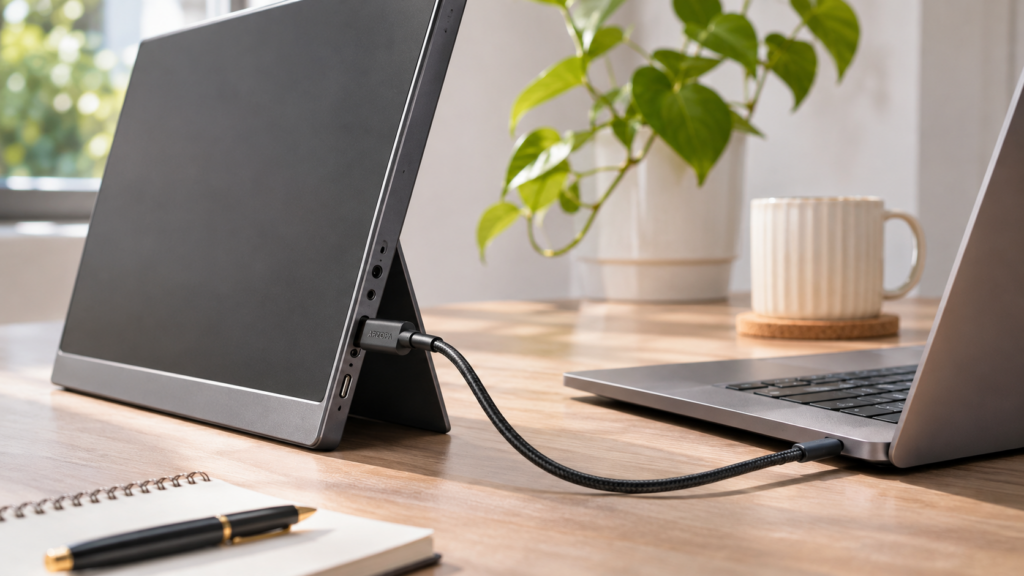
Portable monitors have become more capable, with sharper screens, faster refresh rates, and simpler connections than the basic laptop extenders many people remember. The best option depends on whether you want more room for work, smoother gaming, or a screen that’s easy to carry.
We’ve selected five of the best portable monitors based on screen quality, connectivity, portability, and published independent reviews.
The ARZOPA Z3FC stands out for combining a 2.5K panel with a 180Hz refresh rate, while Lenovo, ASUS, and LG offer alternatives for touchscreen work, older laptops, travel, and battery-powered gaming.
Each recommendation has a different strength, and the pros and cons below explain where those differences matter in everyday use.
Best Portable Monitors at a Glance
|
Portable Monitor |
Best For |
Display |
Refresh Rate |
Weight |
Main Advantage |
|
ARZOPA Z3FC |
Best Overall |
16.1″, 2560 × 1440 |
180Hz |
780g |
Sharp 2.5K display, smooth performance, versatile design |
|
Lenovo ThinkVision M14t Gen 2 |
Touchscreen Productivity |
14″, 2240 × 1400 |
60Hz |
700g |
Touchscreen, stylus, 65W PD |
|
ASUS ZenScreen MB16ACV |
Everyday Office Work |
15.6″, 1920 × 1080 |
60Hz |
900g |
Anti-glare display, flexible connectivity |
|
LG gram +view 16MR70 |
High-Resolution Travel Setup |
16″, 2560 × 1600 |
60Hz |
670g |
16:10 display, lightweight construction |
|
ASUS ROG Strix XG16AHPE |
Battery-powered gaming |
15.6″, 1920 × 1080 |
144Hz |
900g |
7,800mAh built-in battery |
Weights exclude additional carrying accessories. Power delivery and connectivity depend on device compatibility.
1. ARZOPA Z3FC: Best Overall Portable Monitor
Best for: Users who want a sharp second screen for laptop work and high-refresh-rate gaming.
It has a 16.1-inch IPS display with a 2560 × 1440 resolution and a refresh rate of up to 180Hz. The 2.5K panel makes text easier to read and gives images more detail, while the higher refresh rate brings smoother movement to everyday desktop tasks and fast-paced games.
The Z3FC’s 2560 × 1440 resolution provides approximately 78% more pixels than a standard 1080p screen. On a display of similar size, that means finer text, clearer image details, and a more comfortable viewing experience when working with detailed content.
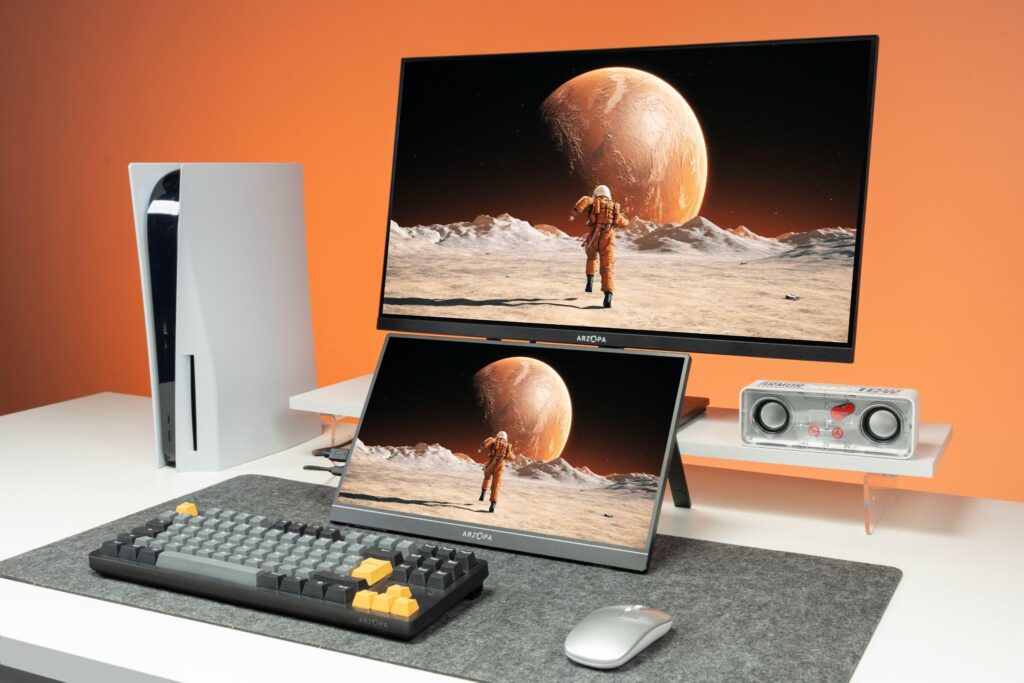
Brightness matters too. The Z3FC is rated at 400 nits, giving it more brightness headroom in well-lit offices or rooms with plenty of daylight than a dimmer portable panel. Its advertised 107% sRGB color gamut also helps deliver rich colors for videos, photos, and games.
Independent testing offers a useful point of reference. WIRED has recommended the ARZOPA Z3FC as its best overall pick in its portable monitor buying guide.
180Hz Makes Everyday Use Feel Smoother
With a refresh rate of up to 180Hz, the Z3FC offers three times the refresh frequency of a conventional 60Hz panel. The improvement is especially noticeable in games with fast movement, but smoother desktop interactions are a welcome benefit during the workday as well.
The monitor also supports AMD FreeSync, which helps reduce screen tearing when connected to compatible graphics hardware.
To reach the maximum refresh rate, your device and connection must support it. The Z3FC supports up to 180Hz through a compatible USB-C DisplayPort connection and up to 144Hz through HDMI.
Lightweight Enough to Take Anywhere
Despite its gaming-oriented specifications, the Z3FC remains easy to carry. It weighs approximately 780g (1.72 lbs), measures just 9.3mm thick, and has an aluminum-alloy body with a built-in adjustable kickstand. You can place it beside your laptop without bringing a separate monitor stand.
There are two USB-C ports and a mini HDMI input. With a laptop that supports USB-C video output and supplies sufficient power, a single cable can carry both video and power. HDMI setups require a separate power connection.
TechRadar Pro’s Steve Clark also tested the Z3FC for everyday office work and gaming. In his ARZOPA Z3FC review, he praised its crisp 2.5K image, slim construction, and practical setup.
ARZOPA Z3FC: Pros and Cons
Pros
- Excellent balance of work and gaming features: The 2.5K panel delivers sharp text and detailed visuals, while 180Hz adds smoothness to desktop use and high-frame-rate games.
- Easy to carry and set up: The 780g body, built-in kickstand, and USB-C connectivity suit people who regularly move between workspaces.
- Flexible device connectivity: USB-C and mini HDMI support a variety of compatible laptops, gaming PCs, and consoles.
Cons
- 16:9 aspect ratio provides less vertical workspace than 16:10 competitors
- No touchscreen or built-in battery
- HDMI requires separate power, and maximum refresh-rate support depends on the source device and connection
- Built-in 2 × 1W speakers are useful for casual audio, though headphones are preferable for gaming; HDR impact is limited compared with larger gaming displays
Best For: Anyone who wants one portable monitor for sharp laptop productivity, smooth everyday use, and gaming. Its 2.5K panel and 180Hz refresh rate are most useful when you split your time between laptop work and gaming.
2. Lenovo ThinkVision M14t Gen 2: Best for Touchscreen Productivity
The Lenovo ThinkVision M14t Gen 2 has one clear advantage over most conventional portable monitors: touchscreen functionality.
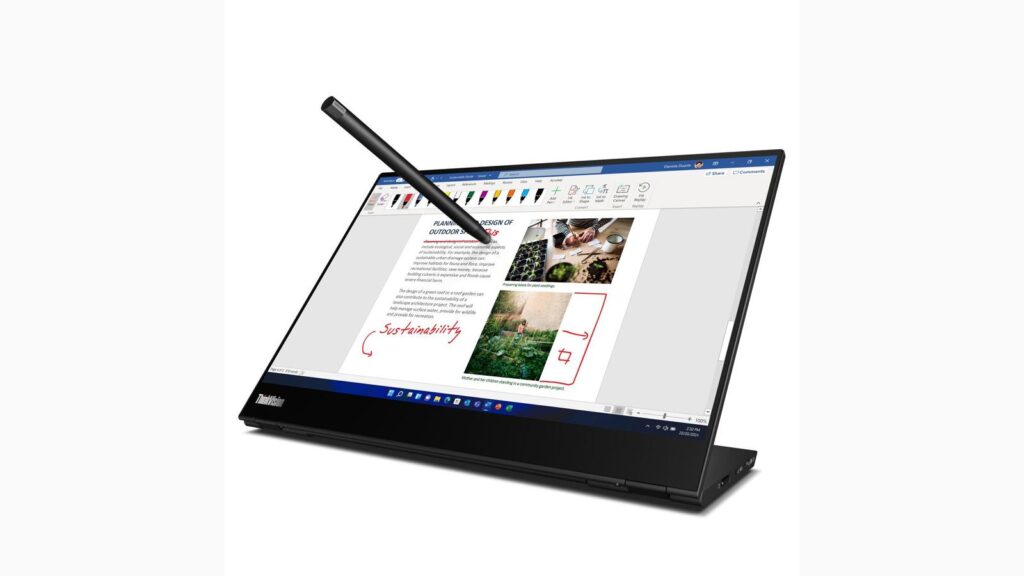
Its 14-inch IPS display has a 2240 × 1400 resolution, a 16:10 aspect ratio, and 10-point touch support. Lenovo also includes a pen for annotating documents, interacting with compatible applications, and working directly on the screen.
For someone who regularly marks up PDFs or uses touch-enabled presentation tools, that functionality can be more useful than a faster refresh rate.
Built for Hands-On Work
The M14t Gen 2’s taller 16:10 display provides more vertical space than a similarly sized 16:9 screen. It offers a typical brightness of 300 nits and 100% sRGB color coverage, making it suitable for general office documents and visual content.
The adjustable stand is another strength. It supports tilt, pivot, and height adjustments, along with portrait orientation.
Lenovo places a USB-C port on each side of the display. Both support DisplayPort Alt Mode and USB Power Delivery, with up to 65W power pass-through under compatible conditions. That arrangement gives you more flexibility when positioning the monitor and connecting your laptop’s charger.
The M14t Gen 2 also features Natural Low Blue Light technology and relevant low-blue-light certifications. At approximately 700g, it’s a compact option, although the 60Hz refresh rate keeps its focus on conventional productivity.
Lenovo ThinkVision M14t Gen 2: Pros and Cons
TechRadar’s independent review of the M14t Gen 2 highlights its touchscreen productivity features and adjustable design. Its value depends on how often you’d use touch and pen input; the smaller screen won’t suit every setup.
Pros
- Touchscreen and pen support: Useful for document annotation, presentations, and touch-enabled applications.
- Highly adjustable stand: Supports portrait use and flexible viewing positions.
- Up to 65W USB-C power delivery: Helps simplify charging and connectivity with compatible laptops.
- Low-blue-light technology: An additional consideration for people who spend long periods looking at documents.
Cons
- The 14-inch screen offers less physical workspace than the larger monitors in this comparison.
- The 60Hz panel lacks the extra motion smoothness of a high-refresh-rate display.
- Touch functionality is its main selling point, so its value depends on whether you’ll actually use it.
Best For: Professionals who frequently annotate documents, use touchscreen applications, or want a portable display with pen input.
3. ASUS ZenScreen MB16ACV: Best for Everyday Office Work
The ASUS ZenScreen MB16ACV is a practical second screen for conventional laptop productivity.
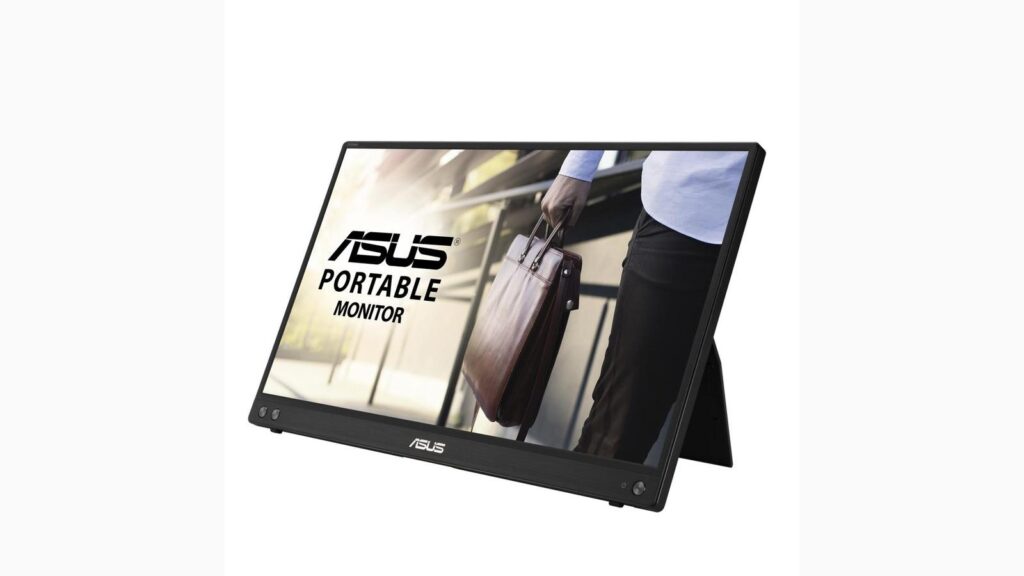
It has a 15.6-inch Full HD IPS display with a 1920 × 1080 resolution and a 60Hz refresh rate. The screen provides enough room for common office applications, email, spreadsheets, and web browsing. Its anti-glare coating helps reduce distracting reflections under typical indoor lighting.
Flexible Connectivity for Older Laptops
One of the MB16ACV’s more useful features is ASUS Hybrid Signal Solution. Alongside standard USB-C video connectivity, the monitor can support certain laptops with USB-A ports when used with the appropriate cable and software configuration.
That’s worth considering if you have an older work laptop without USB-C video output.
The display also includes TÜV Rheinland-certified low-blue-light and flicker-free technologies, along with antibacterial treatment on selected exterior surfaces.
Its built-in kickstand supports different viewing angles, and a tripod socket provides another mounting option. Portrait orientation is available with the appropriate ASUS software. The monitor weighs approximately 900g and measures around 10.5mm thick.
ASUS ZenScreen MB16ACV: Pros and Cons
ITmedia PC USER tested the MB16ACV’s integrated stand and USB-C setup. The ZenScreen focuses on basic productivity and compatibility with some older laptops; its 60Hz panel and 250-nit rated brightness are less ambitious than the gaming and high-resolution options.
Pros
- Broader compatibility with some older laptops: Hybrid Signal support provides an option for certain USB-A devices.
- Anti-glare and eye-comfort features: Useful for regular office use under indoor lighting.
- Flexible positioning: Includes a kickstand and tripod socket.
Cons
- Full HD resolution provides less pixel detail than similarly sized 2.5K displays.
- The 60Hz refresh rate is geared toward conventional productivity.
- At approximately 900g, it’s among the heavier models in this comparison.
Best For: Laptop users who want a straightforward office display, particularly those who need compatibility options for older computers.
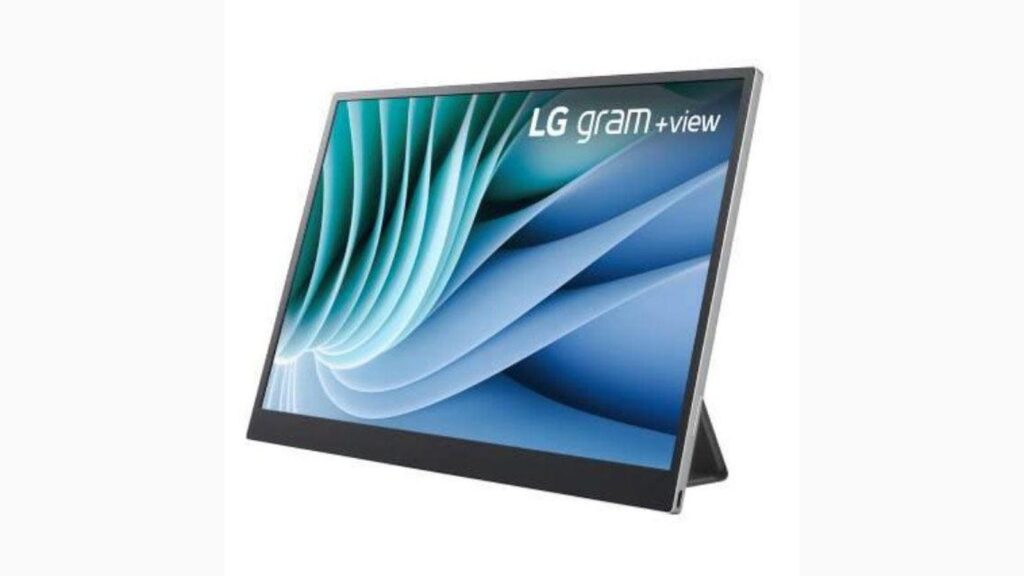
4. LG gram +view 16MR70: Best for High-Resolution Travel Productivity
The LG gram +view 16MR70 stands out for its screen format and low weight.
It has a 16-inch IPS panel with a 2560 × 1600 resolution and a 16:10 aspect ratio. The taller display offers more vertical room than a conventional 16:9 screen, which is particularly convenient for reading long documents, writing code, and working with spreadsheets.
A Bigger Workspace Without Much Extra Weight
LG rates the screen at 350 nits with 99% DCI-P3 color gamut coverage. It also has an anti-glare finish. Those specifications make the gram +view appealing to laptop users who want a sharp, high-resolution second display with wide advertised color coverage.
Without its protective cover, the monitor weighs approximately 670g, making it the lightest of the five models here.
The included folio cover doubles as a stand and protects the screen during travel. With the cover attached, however, the total carrying weight rises to approximately 1kg.
The monitor has two USB-C ports supporting DisplayPort Alt Mode. Compatible laptops can provide video and power over a single cable.
When used with a suitable external USB-C power adapter, the gram +view also supports up to 45W charging pass-through to a connected laptop. Its 60Hz refresh rate makes it more productivity-focused than gaming-oriented.
LG gram +view 16MR70: Pros and Cons
COMPUTER BILD independently reviewed the LG gram +view 16MR70, discussing its slim design and display. Its taller screen suits productivity, while the folio adds to carrying weight.
Pros
- Sharp 16:10 display: The 2560 × 1600 resolution gives users more vertical workspace for documents and coding.
- Lightweight monitor body: Approximately 670g without the cover.
- Wide advertised color gamut: 99% DCI-P3 coverage suits users who value rich-looking visual content.
- Dual USB-C connections: Support compatible laptop connections and charging pass-through under specified conditions.
Cons
- The folio cover increases the total carrying weight to approximately 1kg.
- The 60Hz display doesn’t offer the motion smoothness of high-refresh-rate alternatives.
- Charging pass-through requires a compatible external adapter and setup.
Best For: Travelers and laptop users who prefer a taller, high-resolution screen while keeping the monitor itself relatively light.
5. ASUS ROG Strix XG16AHPE: Best for Battery-Powered Gaming
Best for: Gamers who want a high-refresh-rate portable monitor that can run without a nearby outlet.
The ASUS ROG Strix XG16AHPE has a 15.6-inch 1920 × 1080 IPS panel with a 144Hz refresh rate and NVIDIA G-SYNC Compatible support. Its built-in 7,800mAh battery is rated for up to three hours at 144Hz. USB-C and micro HDMI inputs, an integrated kickstand, and speakers with an ESS amplifier make it a more self-contained gaming setup.
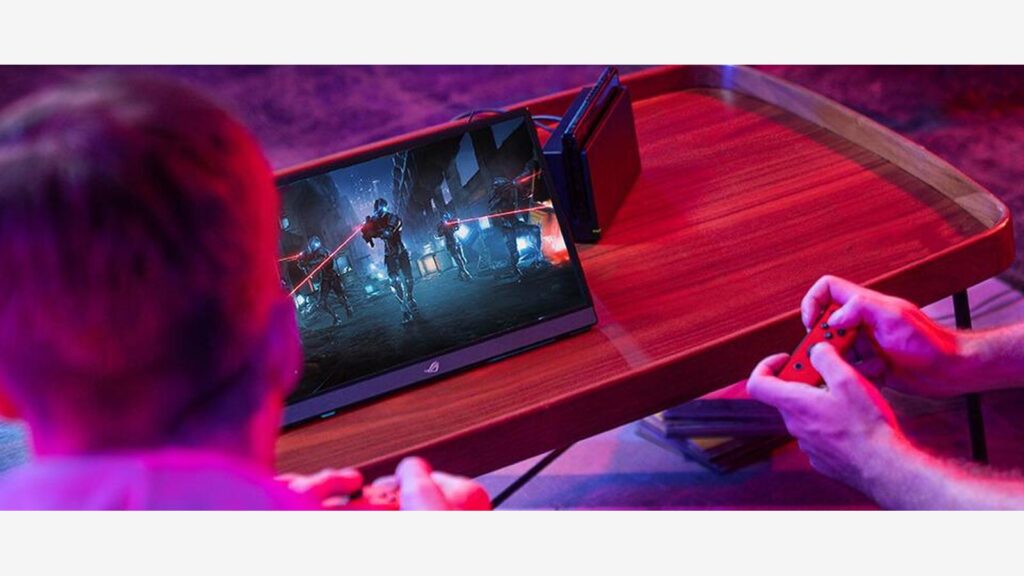
Compared with the Z3FC’s 2560 × 1440 resolution and 180Hz maximum refresh rate, the ASUS has fewer pixels and a lower peak refresh rate, but its battery is a meaningful advantage when external power is inconvenient. RTINGS tested the XG16AHPE, while Tom’s Hardware praised its performance and build quality, noting that it carries a premium price.
ASUS ROG Strix XG16AHPE: Pros and Cons
A dedicated gaming option makes the trade-off clearer: battery-powered convenience versus the Z3FC’s higher resolution and refresh rate.
Pros
- Built-in 7,800mAh battery: Rated for up to three hours at 144Hz under ASUS test conditions.
- 144Hz and G-SYNC Compatible support: Designed for smoother play on compatible PCs.
- USB-C and micro HDMI: Offers connections for compatible computers and gaming devices.
Cons
- 1920 × 1080 resolution shows less detail than the Z3FC’s 2.5K panel.
- The 144Hz limit is lower than the Z3FC’s 180Hz maximum.
- The battery adds weight, and independent reviewers note a premium price.
Best For: Players who need a self-powered portable gaming display more than maximum sharpness.
Which Portable Monitor Should You Buy?
The easiest way to narrow down your choices is to focus on the features you’ll actually use. For gaming, the Z3FC offers a sharper 2.5K panel and faster 180Hz refresh rate, while the ASUS ROG Strix XG16AHPE trades some resolution and speed for a built-in battery. The Lenovo prioritizes touch input, the ZenScreen suits some older laptops, and the LG offers a taller 16:10 workspace.
|
What You Need |
Recommended Monitor |
Why |
|
One display for work and gaming |
ARZOPA Z3FC |
2.5K resolution, 180Hz refresh rate, and portable design |
|
Touchscreen controls and document annotation |
Lenovo M14t Gen 2 |
Touch support, included pen, and adjustable stand |
|
A practical screen for an older laptop |
ASUS MB16ACV |
Hybrid Signal connectivity and anti-glare display |
|
More vertical workspace when traveling |
LG gram +view 16MR70 |
High-resolution 16:10 panel and lightweight body |
|
Gaming without wall power |
ASUS ROG Strix XG16AHPE |
144Hz gaming with a built-in battery |
What Should You Check Before Buying a Portable Monitor?
Start with the screen and connection your laptop can actually use. A higher number on the spec sheet won’t help much if the display isn’t comfortable to read or requires cables you didn’t plan to carry.
Resolution: Is 2.5K Worth It Over 1080p?
Resolution affects how much detail a screen can show. At comparable screen sizes, a 2.5K display has more pixels than a 1080p panel. This can make text, images, and fine details look sharper, particularly when you’re working with dense documents or high-resolution content.
The amount of readable workspace also depends on your operating system’s display scaling settings. If you spend long periods using a second screen, resolution is worth paying attention to.
Refresh Rate: Does It Matter for Office Work?
Refresh rate determines how often the screen updates its image. Higher refresh rates can make cursor movement, scrolling, and window animations appear smoother. Games with fast movement benefit even more when the connected hardware supports high frame rates.
The benefits of a 180Hz display therefore extend beyond gaming, although the improvement you notice depends on your device and how you use it.
USB-C: Can You Use One Cable?
A portable USB-C monitor can reduce cable clutter, but single-cable operation depends on your laptop’s video-output capabilities and power supply.
Check whether your device supports DisplayPort Alt Mode, Thunderbolt, or another compatible USB-C video standard. If you’re using a gaming console, also check for HDMI input and supported resolution and refresh-rate combinations.
Portability: Look Beyond the Listed Weight
A lightweight monitor is easier to pack, but the total carrying weight may include a cover, stand, cables, and adapter. Built-in kickstands allow quick angle adjustments, while folio covers provide some protection during travel.
If you’re comparing different screen sizes and performance options, the ARZOPA portable monitors collection includes models for both everyday laptop productivity and higher-refresh-rate setups.
Frequently Asked Questions
Can I Connect a Portable Monitor With One USB-C Cable?
Yes, if your laptop supports USB-C video output and can provide sufficient power. Otherwise, you may need a separate power connection.
Will a 180Hz Portable Monitor Work With a PS5 or Xbox?
Yes, provided it has a compatible video input. PS5 and Xbox Series X|S output up to 120Hz in supported games and configurations, so they won’t use the monitor’s full 180Hz capability.
Can a Portable Monitor Charge My Laptop?
Some models support USB-C power pass-through. For example, the Lenovo ThinkVision M14t Gen 2 supports up to 65W PD under compatible conditions, while the LG gram +view 16MR70 supports up to 45W charging pass-through with a suitable external power adapter. Always check the requirements of your laptop, monitor, and power adapter.
Final Thoughts
The best portable monitors offer different advantages, from touchscreen productivity to flexible connectivity and lightweight high-resolution displays.
The ARZOPA Z3FC is a strong all-round option for mixed work and gaming, while the ASUS ROG Strix XG16AHPE makes more sense when battery-powered gaming matters most.
Compare screen format, connection requirements, and carrying weight before making your choice.