
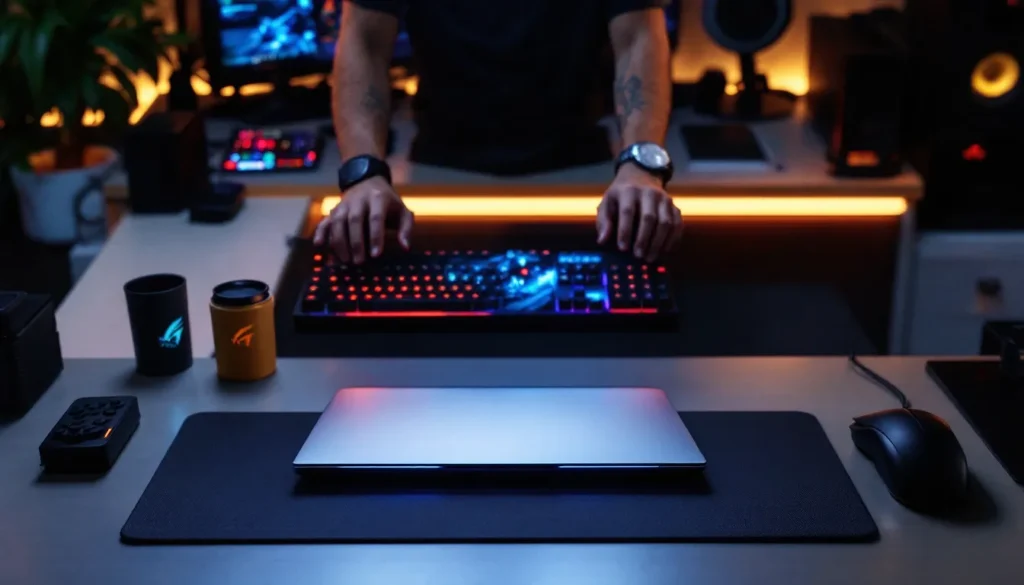
If you’ve ever watched a competitive esports match or played a fast-paced shooter, you’ve probably noticed how buttery-smooth the action looks. That’s no accident, it’s the magic of a 144Hz gaming laptop at work. In 2026, the gap between a standard 60Hz display and a 144Hz refresh rate isn’t just a marketing gimmick anymore: it’s the difference between reacting in milliseconds and eating a headshot you never saw coming. Whether you’re grinding ranked matches, chasing esports dreams, or just tired of watching your cursor stutter, a 144Hz gaming laptop is the hardware that actually moves the needle on your performance. This guide breaks down everything you need to know to find the right machine, optimize your setup, and squeeze every frame your wallet allows.
Key Takeaways
- A 144Hz gaming laptop eliminates perceived input lag and improves reaction time in competitive esports titles like Valorant and Counter-Strike 2, giving players a measurable performance advantage.
- Your GPU is the primary bottleneck for 144Hz performance—an RTX 4070 delivers comfortable 144+ FPS on most AAA games at 1440p high settings, while budget RTX 4050/4060 options excel in esports titles on medium settings.
- Enabling G-Sync or FreeSync variable refresh rate technology ensures smooth gameplay even when frame rates dip below 144 FPS, eliminating stuttering and uneven frame delivery.
- Thermal management is critical for sustained 144Hz gaming—monitor temperatures to avoid throttling by cleaning vents monthly, using a cooling pad, and keeping your laptop elevated for proper airflow.
- Optimize in-game settings using DLSS Quality mode, medium shadows, and disabled ray tracing to reliably hit 144 FPS instead of maxing every setting and sacrificing frame rate.
What Is A 144Hz Gaming Laptop and Why It Matters
A 144Hz gaming laptop is a portable machine with a display that refreshes 144 times per second, compared to the standard 60Hz found on most consumer laptops. More refresh rate means more frames displayed each second, which directly translates to smoother motion and lower perceived input lag. Your brain processes the visual difference instantly, games feel more responsive, aiming feels tighter, and your reaction time actually improves.
But here’s the catch: a 144Hz panel only matters if your GPU can actually push 144 frames per second (FPS). If your laptop is only hitting 80 FPS in a competitive match, that fancy screen is doing you no favors. This is why understanding the synergy between refresh rate and frame rate is crucial.
Understanding Refresh Rate and Frame Rate Synergy
Think of refresh rate as your display’s speed and frame rate as your GPU’s output. They need to work together. If you’re pushing 200 FPS on a 144Hz monitor, you’re wasting frames, your display can only show 144 of them anyway. On the flip side, if you’re only hitting 90 FPS on a 144Hz panel, you’re seeing screen tearing or uneven frame delivery.
Variable Refresh Rate technology (G-Sync on NVIDIA or FreeSync on AMD) helps bridge this gap by syncing your display’s refresh rate to your actual frame output. On a 144Hz gaming laptop, this means your panel adapts anywhere from roughly 48Hz up to 144Hz, eliminating the stuttering you’d see on a fixed refresh rate display when your FPS dips. For esports titles that can maintain 120+ FPS consistently, this pairing is a game-changer.
Key Performance Benefits for Competitive Gaming
The real-world impact of 144Hz shows up most in competitive shooters, fighting games, and fast-paced MOBAs. Professional players in games like Valorant, Counter-Strike 2, and Apex Legends demand 144Hz minimum, many play on 240Hz setups, because the competitive ceiling requires it.
Here’s what you’re actually gaining:
- Reduced perceived input lag: Your actions appear on screen faster. In a 1v1 fight, that millisecond advantage matters.
- Smoother mouse tracking: Aiming feels fluid instead of choppy, which translates directly to better spray control and flick accuracy.
- Better visual clarity during motion: Fast-moving objects don’t blur as badly, so tracking enemies at high speeds is actually possible.
- Psychological confidence: Yes, placebo is real, when your screen feels responsive, you play better. There’s data backing this up in esports research.
For casual players, the benefit is less critical but still noticeable. Open-world games, slower-paced turn-based titles, or story-driven games don’t demand 144Hz, but experiencing one makes 60Hz feel like you’re playing through molasses.
Essential Hardware Specifications for 144Hz Gaming
Pushing 144 FPS consistently demands specific hardware. A 144Hz display on a mid-range GPU is like putting premium fuel in an economy car, you’re wasting the potential. Here’s what actually matters.
Graphics Card Requirements and Performance Tiers
Your GPU is the bottleneck for frame rate. For 144Hz gaming laptops in 2026, here’s the realistic breakdown:
- NVIDIA RTX 4050 / RTX 4060: Entry-level. Hits 144+ FPS in esports titles (Valorant, CS2, Dota 2) on medium settings. Struggles with AAA games at high settings above 1440p.
- NVIDIA RTX 4070 / RTX 4080: Mid-to-high tier. Comfortable 144+ FPS on most AAA games at high settings (1440p). Handles newer releases at balanced settings.
- NVIDIA RTX 4090: Overkill for 144Hz but future-proof. 144+ FPS on ultra settings at high resolutions. Rare in laptops due to power/cost.
AMD alternatives (RX 7600M, 7700XT) exist but are less common in premium gaming laptops. NVIDIA’s driver stability and G-Sync implementation still dominates the 144Hz laptop market.
Important: VRAM matters less than clock speed. A RTX 4070 with 8GB outperforms a hypothetical 12GB mid-range card. Memory bandwidth and core performance drive 144Hz capability more than VRAM size.
CPU Selection for Optimal Frame Rate Delivery
The CPU’s job is to feed the GPU consistently. A weak processor creates CPU bottlenecks, meaning your GPU can’t reach its full potential. For 144Hz gaming laptops:
- Intel Core i7 (13th/14th Gen) or AMD Ryzen 7 5800H and newer: Minimum for smooth 144+ FPS.
- Intel Core i9 (14th Gen HX series) or AMD Ryzen 9 7945HX3D: Best-in-class. Eliminates CPU bottlenecks in almost every game.
The catch? More cores don’t always mean better gaming performance. A 2026 Intel Core i7 with higher clock speeds (4.8GHz+) often outperforms a Ryzen 9 with lower single-thread performance. Game engines still prioritize single-threaded performance for frame timing.
Benchmark tools like Cinebench and Geekbench show multi-core throughput, but real-world gaming depends on boost clock speeds and thermal consistency. Check actual gaming benchmarks, not just raw CPU scores.
RAM, Storage, and Thermal Management Considerations
You need 16GB RAM minimum, 32GB if you’re streaming or running heavy background apps. RAM speed matters slightly (DDR5 vs. DDR4), but the difference in gaming FPS is negligible, usually under 5 FPS. Stick with 16GB if your budget is tight: the GPU upgrade will have way more impact.
Storage: Get an NVMe SSD. A 512GB drive is the bare minimum if you’re playing 2-3 titles. Modern AAA games like Starfield or Black Myth: Wukong take 150-200GB each. 1TB is comfortable: 2TB future-proofs you.
Thermal management is the hidden killer. A 144Hz gaming laptop under load generates serious heat. Look for machines with:
- Dual-fan cooling systems (preferably vapor chamber designs).
- Proper thermal paste or liquid metal between the die and heatsink.
- Adequate case airflow with intake/exhaust vents.
Throttling, when your CPU/GPU automatically reduce clock speed to manage heat, destroys 144Hz performance. If your laptop’s running at 85°C+, it’s likely throttling. Good gaming laptops keep thermals under 80°C during sustained load. Check professional reviews that measure sustained thermal performance, not just idle temps.
Top Gaming Genres That Benefit From 144Hz Displays
Not every game needs 144Hz, but certain genres absolutely shine with it. Understanding which games benefit most helps you justify the investment.
Competitive Esports Titles and Fast-Paced Games
These are the 144Hz sweet spot:
- Tactical shooters: Valorant, Counter-Strike 2, Overwatch 2. Professional players play on 240Hz+ systems because milliseconds matter. At minimum, 144Hz is the competitive baseline.
- Fighting games: Tekken 8, Street Fighter 6, Guilty Gear Strive. Input lag is everything. 144Hz paired with low-latency displays reduces reaction time requirements by 10-15ms compared to 60Hz.
- MOBAs: League of Legends, Dota 2. Less dependent on 144Hz than shooters, but the fluidity improves last-hitting and skillshot accuracy.
- Fast-paced roguelikes: Hades, Cuphead. Quick reflexes are essential. 144Hz makes dodging feel more responsive.
The common thread? These games reward mechanical skill and reaction time. Smoother visuals directly improve performance.
Action Games, Battle Royales, and Fighting Games
Battle royales like Apex Legends, Warzone 2, and Fortnite benefit heavily from 144Hz. The larger visual field, constant motion, and split-second decisions favor higher refresh rates. A player on 144Hz has a legitimate edge over 60Hz in looting speed and engagement clarity.
Single-player action games (Elden Ring, Devil May Cry 5, God of War ports) see diminishing returns from 144Hz. These games are designed for controller smoothness, not frame-count optimization. Some players prefer them at 60Hz for consistency.
Don’t expect 144+ FPS in every game at ultra settings. Modern AAA titles like Starfield or Dragon Age: The Veilguard maxed out might only hit 80-100 FPS even on high-end GPUs. At that point, you’re relying on G-Sync to smooth out the experience.
Choosing the Right 144Hz Gaming Laptop for Your Needs
With thousands of 144Hz laptops on the market, picking the right one requires balancing budget, performance, and practicality. Here’s how to navigate the choices.
Budget-Friendly Options vs. High-End Powerhouses
Budget tier ($1,000–$1,500): Entry-level 144Hz machines with RTX 4050/4060 GPUs. You’ll hit 144 FPS reliably in esports titles and older AAA games on medium settings. Great for competitive shooters, MOBAs, and indie games. The compromise: newer AAA games at high settings will dip below 144 FPS.
Good starting point if you’re new to 144Hz gaming and want to test if the experience matters to you personally.
Mid-range tier ($1,500–$2,500): RTX 4070 or equivalent. Comfortable 144+ FPS on most current AAA games at high-1440p settings. This is the sweet spot for most gamers, you’re getting meaningful performance improvements without premium pricing. These machines handle the current gaming library well and stay relevant for 2-3 years.
Check the top gaming laptops under $1500 for maximum gaming thrills and top gaming laptops on Amazon for specific recommendations in this range.
High-end tier ($2,500+): RTX 4080/4090 GPUs with top-tier CPUs. Overkill for 144Hz, honestly. These machines handle any current game at max settings with room to spare. They’re for future-proofing, content creators, or people with more money than sense (no judgment).
Display Panel Types and Color Accuracy Tradeoffs
Not all 144Hz panels are created equal. Your display choice impacts color accuracy and visual quality, which matters differently depending on your use case.
IPS panels: Better color accuracy, wider viewing angles, more vibrant. Slightly higher response time (3-5ms) but negligible impact at 144Hz. Great if you work in content creation or value visual quality alongside gaming.
TN panels: Faster response times (1-2ms), but worse color accuracy and narrower viewing angles. Historically the esports choice, but less relevant now since most modern IPS panels are fast enough.
VA panels: Deep blacks, high contrast, mediocre color accuracy. Rare in gaming laptops.
Most 144Hz gaming laptops in 2026 use IPS panels with 3-5ms response times, which is perfectly adequate for competitive gaming. The difference between 1ms and 5ms response time is undetectable in real gameplay. Color accuracy matters more if you’re streaming, recording, or doing design work alongside gaming.
Resolution is the other factor: 1440p is the standard for 144Hz gaming laptops. 1080p hits higher frame rates but looks softer on laptop screens. 4K is beautiful but nearly impossible to maintain 144 FPS on any portable hardware.
Portability, Build Quality, and Cooling Performance
A 144Hz gaming laptop is heavier than a standard ultrabook. Expect 4-6 lbs depending on the model. That’s not crazy, but it’s noticeable if you’re moving between classrooms or cafes daily.
Build quality varies wildly. Cheap 144Hz laptops have plastic chassis that flex under light pressure. Better machines use aluminum decks and reinforced hinges. Check user reviews for durability complaints, hinge failures are common on budget gaming laptops.
Cooling is make-or-break. A beautiful machine that throttles under load is useless. Professional reviews from PC Mag and Tom’s Guide benchmark sustained performance under load. Look for reviews that measure GPU/CPU temps after 30+ minutes of gaming, not just first-boot thermals.
Check the Dell G3 Gaming Laptop Review and Lenovo IdeaPad Gaming 3 reviews for real-world thermal testing on popular models.
Common Mistakes and Myths About 144Hz Gaming Laptops
Misconceptions cost money. Here are the biggest traps people fall into.
Overestimating GPU Requirements and Unnecessary Upgrades
Many buyers upgrade to RTX 4090 laptops thinking they need maximum power. Truth: if you’re playing esports titles or 1-2 AAA games, an RTX 4070 is more than sufficient. You’re paying $500-800 extra for performance you won’t use.
Another myth: “I need a 4K display for gaming.” 4K at 144Hz is nearly impossible on laptops, and the visual benefit doesn’t justify the performance cost. Stick with 1440p, which offers sharp visuals and achievable frame rates.
The “bigger is always better” trap applies to RAM too. 32GB sounds impressive but offers zero gaming benefit over 16GB. That money is better spent on the GPU.
One more: “I need DDR5 RAM for 144Hz gaming.” DDR5 is slightly faster than DDR4, but real-world gaming FPS differences are under 5%. If the laptop costs $200 more for DDR5, skip it and upgrade the SSD instead.
Display Limitations and Variable Refresh Rate Technology
Some buyers assume a 144Hz display automatically means 144Hz performance in all games. Wrong. If you’re hitting 100 FPS, that extra 44Hz capacity is wasted unless you have G-Sync or FreeSync enabled.
Here’s the catch: not all games support variable refresh rate tech. Some older or poorly optimized titles still deliver better experiences at locked frame rates (60 FPS or 120 FPS). Modern games almost universally support G-Sync/FreeSync, so this is less of a concern in 2026, but it’s worth checking for specific titles.
Another limitation: 144Hz only matters if your panel actually has low response time. Some budget 144Hz displays have response times of 5-7ms, which is higher than necessary for buttery-smooth gameplay. Response time under 5ms is the practical standard.
Finally, people overestimate the visual difference between 60Hz and 144Hz in single-player games. A gorgeous AAA game at 60Hz with G-Sync enabled can look smoother than a competitive esports title at 144Hz with high input lag. The type of game matters as much as the refresh rate.
Maximizing Your 144Hz Gaming Laptop Investment
You’ve bought the machine. Now maximize its potential and lifespan.
Driver Updates and In-Game Settings Optimization
Older NVIDIA drivers can lose 10-20 FPS compared to the latest releases. Update your GPU drivers monthly. Use NVIDIA’s GeForce Experience or AMD Radeon Software for one-click updates.
In-game settings, this is where 144 FPS actually happens. Don’t slap everything on ultra and hope for the best:
- Ray tracing: Kills frame rate. Disable or set to medium unless you’re fine with 90-110 FPS.
- DLSS (NVIDIA) / FSR (AMD): These upscaling technologies are frame-rate multipliers. Use DLSS “Quality” mode to gain 20-30 FPS with minimal visual loss. “Performance” mode gains more frames but looks noticeably softer.
- Shadows and ambient occlusion: High-quality shadows destroy frame rate. Medium quality looks nearly identical and saves 15-20 FPS.
- Draw distance and LOD: Increase these cautiously. They affect GPU load heavily in open-world games.
The sweet spot: Medium-to-high settings with DLSS Quality enabled hits 144 FPS in most 2024-2025 AAA games on RTX 4070 laptops. Ultra settings are where frame rate goes to die.
Cooling Solutions, Maintenance, and Longevity Tips
A gaming laptop generating 100+ watts under load needs help staying cool. Simple maintenance extends lifespan and performance:
- Clean intake vents monthly: Dust buildup is your laptop’s worst enemy. Use compressed air to blow out vents and fans.
- Use a laptop cooling pad ($30-50): Sits under your laptop and pulls heat away. Reduces thermals by 5-10°C during sustained gaming sessions.
- Elevate your laptop slightly for airflow. Using a laptop stand or even a small wedge improves cooling noticeably.
- Disable “turbo” in power settings if thermals are consistently above 85°C. You’ll lose 5-10 FPS but gain stability and prevent throttling.
- Replace thermal paste after 2-3 years of heavy use. Professional reapplication ($50-100 at a repair shop) can restore thermals by 5-10°C.
Battery life is essentially pointless on gaming laptops, you’ll live plugged in. But keep battery health by avoiding complete discharge cycles. Leave it at 20-80% charge during storage to extend battery lifespan.
Monitor clock speeds using MSI Afterburner or similar tools during gameplay. If you see consistent throttling (clock speeds dropping under load), it’s time for thermal maintenance. Professional reviews from Laptop Mag often include thermal stress-test data showing realistic long-term performance.
Conclusion
A 144Hz gaming laptop in 2026 is no longer a luxury, it’s the practical minimum for competitive gaming and a meaningful upgrade for anyone serious about their frame rates. The real-world impact on performance and responsiveness is measurable and immediate, especially in esports titles where milliseconds determine winners.
Picking the right machine comes down to matching your budget to realistic expectations. A $1,500 RTX 4070 laptop crushes modern gaming at 144+ FPS on high settings. Spending $3,000 on an RTX 4090 is future-proofing, not necessity. And remember: the GPU matters more than any other single component. Prioritize that first, then build your spec around it.
Once you’ve got your machine, resist the urge to max every setting. A smart balance of medium-to-high settings with DLSS enabled keeps your thermals down and frame rates consistent. Update drivers regularly, keep those vents clean, and you’ll squeeze 3-4 years of smooth gameplay out of a solid 144Hz machine.
The competitive and visual advantage of 144Hz is real, and after one session on a properly-tuned setup, going back to 60Hz feels unplayable. That’s not hype, that’s just what happens when your hardware finally matches your expectations.