
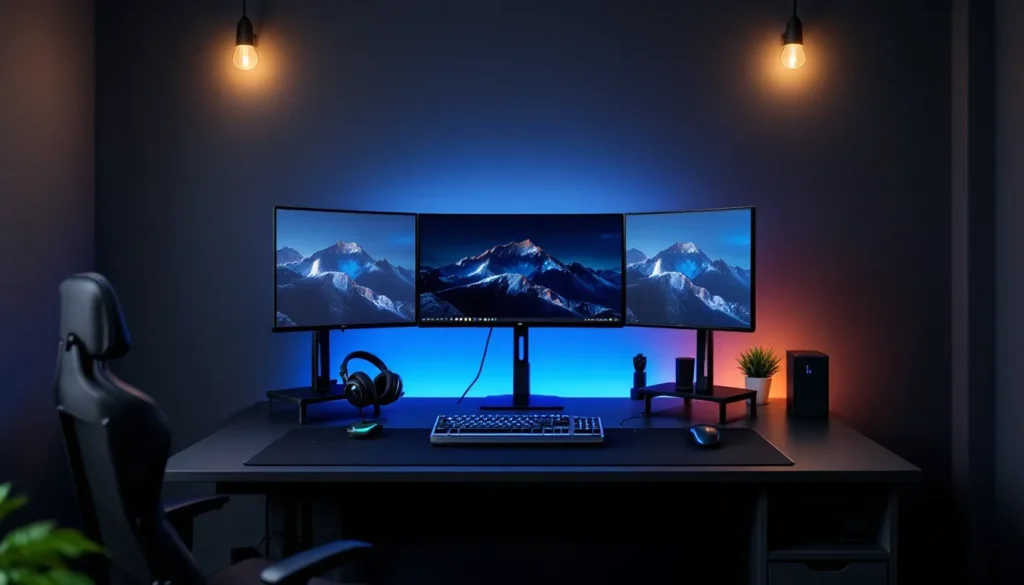
Building the coolest gaming setup isn’t just about throwing the most expensive hardware at your desk. It’s about understanding what actually matters for your playstyle, whether you’re grinding ranked matches, exploring massive open worlds, or streaming to an audience. In 2026, the gaming landscape has evolved. High refresh rate monitors are the norm, wireless tech has eliminated latency concerns, and RGB lighting has become as functional as it is aesthetic. The right setup amplifies your skills, reduces fatigue during marathon sessions, and frankly, makes gaming feel good. This guide breaks down every component you need to know about, from budget-conscious builds to high-end rigs that’ll make your friends jealous. We’ll walk through hardware choices, ergonomics, aesthetics, and the practical side of actually living with your setup. No fluff, just straight talk about building a gaming space that works for you.
Key Takeaways
- A coolest gaming setup centers on three core components—display, gaming hardware, and peripherals—chosen strategically based on your actual playstyle rather than budget alone.
- High refresh rate monitors (144Hz minimum, 240Hz+ for competitive play) directly impact gameplay performance and should never be the first area to cut costs.
- Invest in ergonomic peripherals and seating: a quality mechanical keyboard, precision mouse, and supportive gaming chair reduce fatigue and prevent long-term physical strain during marathon sessions.
- Wireless gaming peripherals have eliminated latency concerns in 2026, improving performance by reducing cable drag and desk clutter while maintaining competitive responsiveness.
- RGB lighting and cable management serve both aesthetic and functional purposes—proper organization improves airflow, prevents overheating, and creates an immersive gaming atmosphere.
- A gaming setup doesn’t require $5,000; budget-conscious builds starting at $500–$1,500 deliver solid 1440p performance, while mid-range setups at $1,500–$3,500 offer the best balance of comfort, aesthetics, and competitive performance.
Essential Hardware Components for a Premium Gaming Setup
The foundation of any gaming setup comes down to three core pieces: a display, a gaming PC or console, and peripherals. Each one directly impacts your experience. You can’t perform at your peak on a 60Hz monitor in a competitive shooter, and you can’t enjoy story games on a cramped screen. Before spending a dollar, ask yourself: What games do you actually play? Are you chasing ranked rewards, exploring single-player campaigns, or streaming? Your answer shapes every decision that follows.
High-Performance Gaming Monitor Setup
The monitor is where gameplay lives. This is non-negotiable: skip on CPU power if you must, but never cheap out here.
For competitive gaming, you’re looking at a minimum of 144Hz, but 240Hz or 360Hz is the real sweet spot in 2026. Titles like Counter-Strike 2, Valorant, and Apex Legends benefit massively from higher refresh rates. A 240Hz monitor with a 1ms response time eliminates ghosting and gives you that crisp, responsive feel. Brands like ASUS, BenQ, and MSI dominate the competitive space with models ranging from $300–$500.
For single-player and story-driven games, a 144Hz 1440p IPS panel offers more visual fidelity without very costly. Think Elden Ring, Cyberpunk 2077, or Baldur’s Gate 3. If you’re willing to push higher, 4K gaming at 60–120Hz looks incredible but demands serious GPU power (RTX 4090 territory). Most gamers hit the sweet spot with 1440p 144Hz monitors.
Panel type matters: IPS panels show better colors and viewing angles (good for open-world exploration), while VA panels crush blacks deeper (cinematic appeal). TN panels are fastest but colors look washed out, reserved for competitive pros who’d rather have 360Hz than good reds and blues.
Mounting your monitor at eye level, about 24 inches from your face, reduces neck strain during long sessions. A single monitor is fine: dual monitors are overkill for gaming but can be useful if you’re streaming or content creating alongside playing.
Gaming PC or Console: Choosing Your Platform
This is the biggest decision. Each platform has a different cost curve and game library.
PC Gaming offers the most flexibility. You can upgrade individual components, tweak settings for any game, and access the largest library. Entry-level rigs (RTX 3060, i5-12400) handle 1440p gaming at 100+ fps in most titles. Mid-range builds (RTX 4070, i7-13700K) crush 1440p and push into 4K. High-end setups (RTX 4090, i9-13900K) target 4K 120Hz or 1440p 240Hz. PC also dominates esports, emulation, and modding. The catch? Noise, thermals, and maintenance. Building or maintaining a PC requires research.
Consoles (PS5, Xbox Series X) offer plug-and-play simplicity. You’re paying $500–$700 upfront, and every game is optimized for your hardware. No driver updates, no bottleneck calculations. PS5 and Xbox Series X both output 4K 120Hz in supported titles (like Call of Duty: Black Ops 6). The downside: you’re locked into the manufacturer’s game library and can’t upgrade components.
Nintendo Switch is portable and perfect for couch gaming, but visually it’s 2017 hardware. Great for indie titles and Nintendo exclusives, not competitive gaming.
Most serious gamers go PC for flexibility, but consoles win for simplicity and guaranteed optimization. Hybrid setups (PC + PS5) are becoming popular. The key is matching your game library preference and tolerance for tinkering.
Pro-Grade Gaming Peripherals and Accessories
Peripherals are where you feel the difference. A bad keyboard or mouse can tank your performance and leave your hands aching after an hour. This is worth getting right.
Gaming Keyboards, Mice, and Headsets
A solid gaming keyboard needs three things: low latency, mechanical switches, and programmable keys. Mechanical keyboards (Cherry MX, Gateron, or Razer switches) respond faster and feel responsive compared to membrane keyboards. For competitive gaming, look for keyboards with sub-1ms response times. Popular choices include the SteelSeries Apex Pro, Corsair K95 Platinum, and Logitech G Pro. If you’re on a tighter budget, the HyperX Alloy Elite or Razer DeathStalker V2 deliver solid performance at lower price points.
Switch preference is personal. Linear switches (Red, Black) feel smooth and are great for fast-paced games. Tactile switches (Brown, Purple) provide bump feedback. Clicky switches (Blue) are loud but satisfying. Most competitive players prefer linear or tactile to avoid distraction.
Your mouse is equally critical. DPI sensitivity, polling rate (8000Hz minimum in 2026), and ergonomics matter. A lightweight mouse (under 70g) reduces fatigue. The Logitech G Pro X Superlight 2, Razer DeathAdder V3, and SteelSeries Prime Wireless are top-tier for competitive play, around $60–$150. For casual gaming, the Corsair Dark Core RGB or HyperX Pulsefire Haste work just fine.
Headsets bridge audio quality and comfort. Competitive players prioritize sound accuracy: can you pinpoint footsteps? Are directional cues clear? The SteelSeries Arctis Nova 1 or HyperX Cloud Alpha offer great positional audio without excessive bass that muddles gameplay. For immersive single-player games, the Sony WH-CH720N or SteelSeries Arctis Nova 7 provide richer sound. Don’t skip comfort, you’ll wear these for 4+ hours. Look for padded ear cups and adjustable headbands.
Wireless gaming peripherals have zero latency in 2026 thanks to 2.4GHz or USB-C connectivity. They eliminate cable drag and desk clutter. Most competitive players have switched to wireless.
Ergonomic Gaming Chairs and Desk Setup
You’ll spend hundreds of hours in your chair. Skimping here leads to back pain, neck strain, and poor posture that follows you off the desk.
A proper gaming chair needs lumbar support, adjustable armrests, and breathable fabric (mesh, not pleather that gets sweaty). Height-adjustable seats that work with your desk are critical, your feet should rest flat on the floor, elbows at 90 degrees when typing. The Herman Miller Aeron is the gold standard ($1,400+), but the Autonomous Premium Gaming Chair or Secretlab Omega offer excellent bang for $400–$700. Budget options like the Autonomous Pro Chair or RESPAWN 110 Racing Chair hit $200–$300 and work fine if adjusted correctly.
Your desk matters too. A large, sturdy surface (48+ inches wide) prevents cramping. Standing desks are trendy and have real benefits, alternating between sitting and standing reduces stiffness. A motorized standing desk like the Flexispot E7 or Secretlab Magnus Pro runs $300–$500 but pays dividends for long-term health.
Arrange your desk strategically: monitor at arm’s length, keyboard and mouse at the same height, no reaching. Cable management keeps things organized and prevents accidental unplugs mid-game. Use clips, sleeves, or velcro straps to bundle cables behind your desk. Many setups include how wireless keyboard and mouse setups improve performance by reducing clutter and arm strain.
Lighting and Aesthetics: Creating the Perfect Atmosphere
Lighting affects mood and gameplay. The right setup combines aesthetics with function, eliminating eye strain while making your space feel immersive.
RGB Lighting and Cable Management
RGB lighting has evolved beyond gimmick territory. It sets ambiance, helps hide mess, and honestly? It makes gaming feel more epic. The key is subtlety. Blinding RGB that shifts every second is distracting: soft, synced lighting is immersive.
Start with bias lighting behind your monitor, a strip of cool white or blue LEDs reduces eye strain by creating a contrast between your bright monitor and the dark wall behind it. Brands like Nanoleaf or Philips Hue sell adhesive strips that sync with games. CORSAIR QL120 RGB fans or LIAN LI Unifan AL120 can turn your PC case into a light show while improving airflow. If you’re running an AIO cooler, RGB pump heads add visual flair without extra cost.
Deck out your desk with RGB mousepad (SteelSeries QcK Prism or Corsair MM700), keyboard with per-key RGB, and case lighting. The magic happens when it all syncs, your entire setup pulses with gameplay (red when your character is low health, blue when abilities are ready). Software like iCUE (Corsair), AURA (ASUS), or Razer Synapse orchestrate this.
Cable management isn’t just aesthetic, it’s functional. Tangled cables collect dust, trap heat, and feel chaotic. Use cable trays mounted under desks, adhesive clips along the underside of your desktop, and velcro straps for bundling. Route cables behind walls or through cable sleeves. Spend an evening getting this right: it pays off in every session. A clean setup feels better and runs cooler.
Desk Organization and Decor
Beyond tech, your setup’s vibe comes from how you use the space. Posters, figurines, and themed decor matter more than people admit. A signed esports jersey on the wall or a statue of your favorite game character creates personality. Just avoid clutter, two great posters beat eight mediocre ones.
Desk organizers keep things functional. A monitor arm frees up desk real estate. Cable trays hide mess underneath. A small shelving unit displays collectibles without taking up surface space. Your actual desk surface should have breathing room: mouse pad, keyboard, and one object (plant, figurine, or cup). Everything else goes up, under, or away.
Plants add life. A small succulent or low-light plant like a Pothos improves air quality and softens the tech-heavy aesthetic. Nothing fancy, just something green.
Wall color influences mood. Dark walls (black, dark gray, navy) make RGB lighting pop and feel cinematic. Light walls feel open but can wash out your setup’s visual impact. Many gamers go for a dark theme with accent lighting, like how enhancing your gaming experience creates a professional, immersive atmosphere.
Audio Excellence: Sound Systems for Competitive and Immersive Gaming
Your ears matter as much as your eyes. Game audio has evolved, directional cues in shooters, subtle ambient details in open-world games, and dynamic soundscapes in horror titles all demand quality audio.
Headsets handle 80% of gaming audio needs. They isolate sound, eliminate room noise, and deliver spatial audio (7.1 surround is the industry standard). Competitive games like Valorant and Counter-Strike 2 rely on audio cues: can you pinpoint whether footsteps are above, below, or to the side? A quality headset with good soundstage makes this easy. Closed-back designs (most gaming headsets) contain sound: open-back designs (Sennheiser HD 800S) leak audio but offer wider soundstage, not ideal if you’re gaming with others nearby.
For immersive single-player experiences, gaming headsets with dynamic bass and warm mids shine. The HyperX Cloud Orbit or SteelSeries Arctis Nova Pro deliver premium spatial audio. If you’re serious about audio, audiophile-grade headphones (Beyerdynamic DT 990 Pro, Sennheiser HD 660S) pair with a dedicated sound card (ASUS Xonar U7 or external DAC) for superior fidelity. This approach costs $400–$800 but transforms how games sound.
If you’re not using headsets (playing in a private room, for instance), a dedicated speaker system works. A 2.1 setup (two front speakers + subwoofer) or 5.1 surround system immerses you in game audio. Brands like Logitech Z906, Corsair, or Creative deliver quality gaming audio systems for $200–$500. Avoid cheap Bluetooth speakers, they muddy detail and have latency issues.
Room acoustics matter more than people realize. Hard walls reflect and distort sound: soft furnishings (curtains, rugs, foam panels) absorb and clarify. Acoustic foam panels behind your monitor and on adjacent walls reduce echo and improve audio clarity. They’re cheap (Amazon panels run $20–$50) and make a noticeable difference.
Microphone quality matters if you’re in team voice chat. A USB condenser mic (Blue Yeti, Audio-Technica AT2020) picks up clear voice without background noise. Position it slightly off-axis (not directly at your mouth) to avoid plosives. If you’re just chatting casually, your headset’s built-in mic works fine.
Streaming and Content Creation Setup
If you’re streaming, recording, or making gaming content, your setup branches into additional gear.
Cameras, Microphones, and Lighting for Creators
Streamers need a camera, quality microphone, and proper lighting. This adds $500–$2,000 to your budget but separates hobby streaming from professional presence.
Web cameras work for casual streams (Logitech C920 or Razer Kiyo), but serious creators use DSLR or mirrorless cameras (Canon EOS R5, Sony A6700) with HDMI output to your PC. These deliver cinematic video quality and depth-of-field control. The learning curve is steeper, but the output looks professional.
Microphone quality is paramount. Viewers forgive video issues but not audio. A dedicated studio microphone (Shure SM7B, Neumann U87) paired with an audio interface (Focusrite Scarlett 2i2, Audient iD4) costs $300–$500 but delivers broadcast-quality voice. Position the mic 3–4 inches from your mouth, use a pop filter to reduce plosives, and monitor levels in OBS or Streamlabs.
Lighting transforms your on-camera appearance. A ring light (Neewer or Andoer) around your camera provides even, flattering illumination. Two-light setups (key light + fill light) create depth. LED panel lights like the Elgato Key Light or Nanoleaf give you control over color temperature and intensity. Budget streamers use cheap LED panels (Amazon, $30–$80): pros invest in actual stage lighting rigs.
Background matters. A clean wall, RGB panels, or a professional backdrop (green screen for virtual backgrounds) frames your content. Messy backgrounds distract viewers and hurt your branding.
Capture hardware comes next. Streamlabs Menus or OBS (free) handle streaming to Twitch, YouTube, or Discord. An Elgato Camlink (for connecting extra cameras) or external capture card (Blackmagic DeckLink) integrates hardware smoothly. Most streaming PCs run a secondary system dedicated to encoding and broadcasting to avoid FPS drops on your main gaming rig.
Gaming Space Optimization and Room Layout
Your physical space shapes how you game. Temperature, noise, and layout all impact performance and comfort.
Climate control prevents thermal throttling and keeps you alert. A room temperature of 68–72°F (20–22°C) is ideal for both humans and hardware. If your PC case runs hot, improve airflow: remove dust filters every month, add intake fans, or upgrade your CPU cooler. A poorly cooled PC loses 10–15% performance under thermal stress.
Noise isolation helps during competitive gaming and respects everyone else in your home. Mechanical keyboards and gaming rigs can be loud. Acoustic foam panels, carpeting, and curtains dampen sound. Headsets eliminate external noise, letting you focus. If you live in a noisy environment, noise-canceling headsets (with active noise cancellation) are worth the premium.
Layout optimization centers on ergonomics and aesthetics. Place your desk perpendicular to windows to avoid glare and backlight on your monitor. Keep frequently used items (water bottle, snacks, phone) within arm’s reach but not on the desk itself. Your monitor, keyboard, and mouse should form a triangle within easy reach. Leave breathing room for your chair to recline without hitting walls.
Cable routing (we mentioned earlier) should follow a plan: power cables down the back of the desk, USB cables to one side, audio cables to another. Label cables so you know what’s what. A power strip with surge protection and individual switches for each device reduces phantom power draw and lets you kill everything with one switch when you’re done.
Segment your space: gaming area, streaming area (if needed), and storage. A small bookshelf or filing cabinet stores extra controllers, cables, and collectibles. This keeps your main desk pristine for actual gaming.
Lighting ambiance (we covered RGB earlier) also functions as space optimization. Bias lighting behind your monitor reduces glare. Overhead lights should be dimmable: bright fluorescents cause eye strain during long sessions. Many gamers install smart bulbs (Philips Hue, Nanoleaf) that adjust color temperature throughout the day, cooler in the morning, warmer in the evening, to respect your sleep cycle.
Budget Tiers: Gaming Setups for Every Price Point
Building a setup doesn’t require $5,000. Here’s how to get serious performance at any budget.
Budget Gaming Setup ($500–$1,500)
At this tier, you’re making strategic choices. Skip the high-end monitor and focus on a solid 1440p 144Hz display ($300–$400). Pair it with a mid-range gaming laptop or entry-level PC build.
For PC: An RTX 3060 or RTX 4060 Ti with an i5-12400 or Ryzen 5 5600X handles 1440p gaming at 80–100 fps in most titles. Pre-built options from builders following how to build the ultimate gaming setup on a budget templates run $700–$1,000.
For laptop: A Dell G3 Gaming Laptop with RTX 4050 or a Lenovo IdeaPad Gaming 3 offers portable gaming at $800–$1,200.
Peripherals: Grab a mechanical keyboard ($80–$120), solid gaming mouse ($40–$60), and closed-back headset ($80–$120). Total peripheral spend: $200–$300.
Monitor + peripherals + PC = $1,200–$1,500. This setup crushes 1440p gaming and esports titles. You’re skipping fancy RGB, premium ergonomic chairs, and studio lighting. That’s fine, you’re gaming, not streaming.
Mid-Range Gaming Setup ($1,500–$3,500)
This is the sweet spot for most gamers. You’re getting 1440p 165Hz+ performance with comfort and some aesthetics.
PC: RTX 4070 or RTX 4070 Super with i7-13700K or Ryzen 7 7700X pushes 1440p 165fps in demanding titles. Pre-builts run $1,400–$1,800. The CyberPowerPC Gamer Xtreme VR delivers excellent value in this range.
Monitor: A premium 1440p 165Hz IPS panel (ASUS ProArt, LG Ultragear) costs $400–$600. Consider adding a second monitor for productivity or streaming.
Peripherals: Premium mechanical keyboard ($150–$250), high-end gaming mouse ($100–$150), quality headset ($150–$250), and a solid gaming chair ($400–$600) round out the setup.
RGB lighting, cable management, acoustic panels, and desk organization push this tier to $3,000–$3,500. You’re comfortable, your setup looks good, and performance is excellent. Most competitive players and content creators live here.
High-End Gaming Setup ($3,500+)
When budget isn’t a constraint, you’re optimizing every detail.
PC: RTX 4090 with i9-13900K or Ryzen 9 7950X targets 4K 120fps or 1440p 240fps. Custom water-cooling, premium cases (Lian Li O11 Dynamic, Corsair 5000T), and high-end components run $3,000–$4,500 for the PC alone.
Monitor: A premium 4K 120Hz mini-LED display (ASUS PA148CTC, BenQ EW2780) or dual 1440p 240Hz monitors costs $800–$1,500.
Peripherals: Audiophile-grade headphones with DAC ($500–$1,000), custom mechanical keyboards ($300–$500), premium gaming chair like the Herman Miller Aeron ($1,400+), and full studio setup for streaming if needed.
Aesthetics: High-end RGB throughout, acoustic treatment, premium desk (Secretlab Magnus Pro, $500+), and curated decor.
Total: $5,000–$10,000+. You’re not chasing better performance at this point, you’re chasing experience. Every item is top-tier. This setup remains relevant for 5+ years because the hardware is so far ahead of current demands.
Maintenance and Upgrade Tips for Long-Term Performance
A gaming setup is an investment. Proper maintenance keeps it running for years.
Cleaning prevents dust buildup, which throttles performance and kills components. Monthly: use compressed air to dust your PC case, monitor, keyboard, and mouse. Annually: open your PC case and carefully clean the CPU cooler, GPU, and radiators. Dust acts like insulation, trapping heat. A clean system runs 5–10°C cooler.
Software updates matter. GPU drivers (NVIDIA, AMD) release monthly optimizations and game-specific fixes. Update them regularly, new driver versions often improve frame rates in recent titles. Similarly, BIOS updates for your motherboard can improve stability and performance.
Upgrades follow a pattern. After 3–5 years, the bottleneck shifts. A 2021 PC with an RTX 3080 paired with an older i7 might be GPU-bottlenecked: upgrading the CPU won’t help. After 5 years, plan a major upgrade. A CPU + motherboard + RAM swap costs $500–$800 and extends your PC’s lifespan by another 5 years. Your case, PSU, and storage carry forward.
Monitors age well, refresh rates and response times don’t degrade. A 1440p 144Hz monitor from 2020 is still excellent in 2026. Peripherals wear out: switches in keyboards fail after 50 million keystrokes (about 3–4 years of heavy use), and mouse switches wear similarly. Budget $100–$200 annually for peripheral replacements.
Thermal paste on your CPU degrades over time. Reapplying it every 3 years improves cooling by 5–10°C. It’s cheap ($5–$15) and takes 15 minutes if you’re comfortable opening your PC.
Storage fills up. SSDs degrade slightly when full. Keep 15–20% of your SSD free. As games grow (many AAA titles hit 100+ GB), add external SSDs or additional internal drives. A 2TB NVMe drive costs $150–$200 and doubles your capacity.
For streaming setups, camera sensors degrade slightly after years of 8+ hour daily use. At that point, consider upgrading. Microphones are durable if protected from physical damage and moisture. Store them in cases when not in use.
Your gaming setup isn’t static, it evolves with your needs, budget, and the games you play. Regular maintenance keeps everything running smoothly. Strategic upgrades maintain competitive performance without replacing everything. With proper care, a mid-range setup from 2026 will still be viable gaming hardware in 2030. According to GPU benchmarks and gaming hardware comparisons, components holding value well tend to be from established brands with strong thermal and power efficiency, markers of longevity.
One final tip: document your setup. Take photos of your cable routing, note component versions and purchase dates, and save driver versions. This makes troubleshooting easier and helps you plan future upgrades. Keep receipts for warranties, a failed component covered under warranty saves hundreds of dollars.
Conclusion
The coolest gaming setup is the one that fits your needs, budget, and playstyle. There’s no universal “best”, a competitive esports player needs different gear than someone exploring story-driven games. Both are valid.
Start with the fundamentals: a solid monitor, reliable hardware, and comfortable peripherals. Everything else (RGB, streaming gear, fancy chairs) builds on that foundation. Spend where you’ll notice it most, the monitor and headset directly impact gameplay, so those are worth the investment. Skimp elsewhere if needed.
Your setup will evolve. Maybe you’ll add a second monitor later, upgrade your chair next year, or build a streaming corner down the road. That’s fine. Gaming setups are personal projects that grow with you.
The real magic isn’t in the specs or the aesthetics, it’s in how your setup makes you feel when you sit down to play. If you’re comfortable, if your peripherals respond instantly, and if your space feels like yours, then you’ve nailed it. That’s the coolest gaming setup: one where you’re happy to spend hours, one that supports your performance, and one you’re proud to show off.