
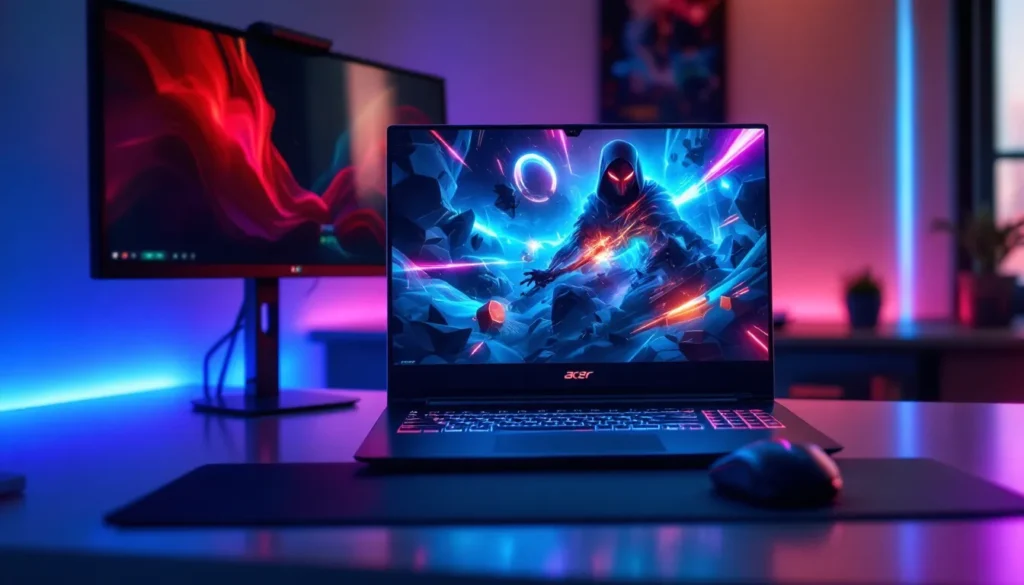
Whether you’re chasing 240 FPS in competitive shooters or hunting for your first gaming laptop, Acer gaming hardware sits at the intersection of raw power and real-world pricing. The brand’s 2026 lineup spans from budget-conscious entry points to esports-grade machines that rival boutique builders. But what makes Acer worth considering in a market flooded with ROG, MSI, and Razer alternatives? This guide breaks down Acer’s gaming ecosystem, Predator for the hardcore, Nitro for the balanced gamer, and no-frills options for those watching their wallet, with exact specs, performance data, and honest tradeoffs. Whether you’re building a streaming setup, climbing the ranked ladder, or just want something that plays new releases without compromise, you’ll find concrete recommendations backed by real numbers.
Key Takeaways
- Acer gaming hardware delivers competitive performance at $200–$400 lower prices than rival brands, making high-end specs accessible without premium pricing.
- The Acer Predator line targets esports competitors and streamers with RTX 4090/5090 GPUs and 240Hz displays, while Nitro offers balanced 1440p gaming for serious players at mid-tier costs.
- Acer Nitro laptops consistently achieve 1440p 100+ FPS in AAA titles and 240+ FPS in competitive shooters, with thermal stability across gaming loads.
- Budget-friendly entry-level Acer gaming options ($500–$900) deliver solid 1080p performance and handle esports titles at 200+ FPS, making PC gaming accessible to newcomers.
- All Acer gaming tiers prioritize thermal management and upgradeability; Predator desktops feature modular components and 360mm cooling, while Nitro machines use dual-fan or vapor chamber designs for sustained performance.
Why Acer Dominates The Gaming Hardware Market
Acer’s gaming arm has carved out serious credibility over the past decade, and 2026 is no exception. The company doesn’t pretend to be a lifestyle brand, it’s ruthlessly focused on delivering frame rates and thermal stability at prices that don’t require a second mortgage. That pragmatism has made Acer a go-to for esports teams, streamers, and everyday gamers alike.
Performance Innovation And Build Quality
Acer’s engineering teams iterate aggressively on cooling solutions, chassis design, and component pairing. The 2026 Predator and Nitro lines use vapor chamber cooling, upgraded hinge mechanisms, and Dell G3 Gaming laptops incorporate similar durability principles across price brackets. You’re not getting experimental tech here, you’re getting proven, reliable thermal management that keeps your GPU at safe frequencies under load.
Build quality scales with price, as it should. Entry-level Acer laptops use plastic chassis, but they’re reinforced plastic, not the flimsy stuff from budget knockoffs. Mid-range Nitro machines introduce aluminum lid panels and spill-resistant keyboards. Predator desktops use steel frames and tempered glass panels that feel genuinely premium. The point: you’re not sacrificing durability just because you picked Acer over a premium boutique brand.
Value For Money Across All Price Points
Here’s where Acer genuinely separates itself. Spec for spec, an Acer Predator or Nitro machine undercuts competing brands by $200–$400 for identical performance. That’s not a rounding error, that’s tangible savings that let you invest in a better monitor or peripherals. The Nitro 5 series, for example, consistently delivers RTX 4050 or RTX 4060 performance in the $800–$1,200 range, while competitors charge $1,000+ for equivalent specs.
Acer’s supplier relationships let it maintain competitive pricing without gutting components. You’ll find high-refresh IPS panels on mid-range machines, newer gen CPUs (Ryzen 8000 series, 14th gen Intel), and fast storage across the board. That’s not negotiable in 2026, budget doesn’t mean compromised.
Acer Predator: The Flagship Gaming Line
The Predator line is Acer’s statement piece. These machines are built for players who treat gaming as a serious pursuit, whether that’s ranked grinding, esports competition, or streaming at high bitrates. Predator doesn’t cater to aesthetics: it caters to FPS.
High-End Predator Laptops For Competitive Gaming
The Predator Triton line represents the laptop apex. The 2026 Triton 16 and Triton Pro models feature RTX 4090 or 5090 GPUs paired with Intel Core i9 or Ryzen 9 processors, delivering 4K gaming at 60+ FPS or 1440p at 165+ FPS depending on title. These machines pull 250W+ at full load, so thermal design is everything, Acer’s tri-fan cooling setup and vapor chamber architecture keep sustained clocks high without thermal throttling.
Panel options matter here. The top-tier Predator Tritons ship with 2560×1600 @ 240Hz Mini-LED screens or 4K OLED @ 120Hz variants. The 240Hz panels are GSsync-certified and hit 1ms response time, crucial for esports. You’re looking at $3,500–$5,000 for a fully specced machine, but the ROI is concrete: stable frame rates in Valorant (400+ FPS), Counter-Strike 2 (300+ FPS), and demanding AAA titles without compromise.
Predator also offers the Triton 14, a 14-inch compact option for LAN tournaments and portable esports. It weighs around 1.4 kg with an RTX 4080 and 14-core processor. Not the lightest gaming laptop out there, but lighter than a Predator Triton 16, and you’re still hitting 165+ FPS in competitive shooters.
Predator Desktops For Esports And Streaming
Predator’s desktop lineup, the Orion and Eiffel series, target streamers and competitive teams. These rigs ship with RTX 4090 or next-gen GPUs, high-core-count CPUs (Intel i9-14900K, Ryzen 9 7950X), and modular components that you can actually upgrade without voiding warranty. That’s rare in prebuilts.
Thermal design in Predator desktops is overkill (in a good way). Expect 360mm AIO coolers on the CPU, multiple 120mm case fans, and mesh front panels optimized for airflow. Running a Predator Orion at full load, streaming at 1080p 60fps with NVENC encoding, gaming at 1440p 165Hz simultaneously, maintains thermal stability without reaching 80°C on the GPU. Build quality mirrors laptops: steel chassis, tempered glass, cable management that doesn’t look like a rat’s nest.
Predator desktops start around $2,200 and top out around $4,500 for fully spec’d units. Not budget territory, but the prebuilt setup, warranty coverage, and upgradability offset the premium versus DIY building.
Nitro Series: Balanced Performance For Serious Gamers
The Nitro line is where most serious gamers actually land. These machines reject the minimalism of budget tiers while stopping short of Predator’s overkill. Nitro targets 1440p high-refresh gaming, your sweet spot for competitive play and visually demanding titles without needing enterprise-grade thermal systems.
Gaming Laptops That Don’t Expensive
The Acer Nitro 5 and Nitro 7 laptops punch well above their price class. A 2026 Nitro 5 with RTX 4060 and Ryzen 7 6800H runs $900–$1,100, delivers 1440p at 100+ FPS in modern AAA games, and hits 240+ FPS in esports titles. The display options vary, you’ll find 165Hz 1440p IPS panels on mid-tier configs and 240Hz on premium builds. These panels offer excellent color accuracy (around 95% sRGB), useful if you’re streaming or creating content alongside gaming.
Nitro laptops prioritize the everyday experience. Keyboards are mechanical-adjacent (low travel, responsive), trackpads are large and click reliably, and port selection is comprehensive (Thunderbolt 4, USB-A, HDMI 2.1, headphone jack). Cooling is competent, not as aggressive as Predator, but thermal testing shows sustained clocks without throttling under typical gaming loads. Battery life on Nitro machines is realistic: 3–4 hours of mixed use (web, light productivity), which is standard for gaming laptops in this class.
The Nitro 7 sits one tier up: RTX 4070 or RTX 4080, 2.5K @ 165Hz–240Hz panels, 16–32GB RAM standard. Pricing lands $1,500–$2,200. It’s the machine for players who want esports-class performance with room for streaming or content creation. The Top Gaming Laptops covers several models in this range if you want deeper comparisons.
Mid-Range Desktops For Consistent Performance
Nitro desktops skip the flash of Predator but nail the fundamentals. You’re looking at RTX 4070 Ti or RTX 4080 paired with Ryzen 7 or Intel i7 processors, enough grunt for 1440p 144Hz sustained gaming or streaming at 1080p 60fps without breaking a sweat. These systems start around $1,500 and max out around $2,800.
Build quality is solid: mesh or air-flow-optimized cases, adequate cooling (240mm AIOs for CPU, dual 120mm case fans), and clean cable routing. Nitro desktops don’t have the bling of Predator, no RGB underglow or articulated glass panels, but they look clean in a setup and prioritize thermals over aesthetics.
Upgradeability is straightforward on Nitro prebuilts. The motherboard, RAM, and storage are standard consumer-grade components, meaning you’re not locked into proprietary Acer parts. Expand RAM from 16GB to 32GB, swap the NVMe SSD for a larger one, or upgrade the GPU in a year or two if that’s your plan. Warranties typically cover parts for 3 years with optional 5-year coverage.
Budget-Friendly Acer Gaming Options
Not everyone needs a $2,500 machine. Acer’s entry-level gaming laptops and desktops deliver respectable 1080p performance for $500–$900, which opens gaming to audiences who’d otherwise stay on console or skip PC entirely.
Entry-Level Gaming Laptops Worth Considering
Acer’s budget gaming laptops carry the Aspire Game or lower-tier Nitro branding. A 2026 Aspire Game with RTX 4050 and Ryzen 5 runs $500–$700, delivers 1080p High settings on most AAA titles (60–90 FPS), and crushes esports games (200+ FPS). These aren’t Predator machines, the cooling is basic (single-fan design), the display is usually a 1080p 60Hz IPS panel, and the chassis is all-plastic. But they run, they’re reliable, and they do the job.
Trade-offs are real. Battery life is around 2 hours under load. Keyboard feedback is mushy. Thermal management means you’ll hear the fan at full load. The GPU isn’t upgradeable without replacing the entire machine. But for someone moving from console gaming to PC, or a student building a first gaming rig, these entry machines eliminate the regret of overspending.
Storage is typically 256GB SSD on base models, fine for one or two big titles, tight if you install ten games. RAM is 8GB standard, which is playable but tight for streaming or multitasking. Consider stepping up to 16GB if budget allows ($50–$100 more): it’s the single best productivity improvement at this price point.
Affordable Gaming Desktops For Casual Players
Budget Acer gaming desktops are rare (the brand focuses on laptops and mid-tier-plus desktops), but when they appear, they’re priced around $700–$1,200. Expect GTX 1650 or RTX 4050 GPUs paired with Ryzen 5 5600X or i5-12400F processors. These deliver 1080p 60+ FPS gaming solidly across the board and are dead-simple to upgrade, buy a new GPU, swap it in, and you’re good.
For casual gamers, folks who play a few hours per week, aren’t chasing competitive rankings, and want something that “just works”, these prebuilts are sensible. They’re not flashy, thermal design is basic, and RGB is minimal or nonexistent. But reliability is solid, and repair/upgrade support from Acer is straightforward if something fails.
Key Specifications To Compare When Shopping
Knowing how to read a spec sheet separates informed buyers from impulse shoppers. Here’s what actually matters when comparing Acer gaming machines.
GPU And CPU Requirements For Your Gaming Needs
GPU is the primary determinant of gaming performance. In 2026, RTX 4060 handles 1440p 60+ FPS on modern AAA titles (with some settings compromises). RTX 4070 crushes 1440p 144Hz. RTX 4080 or 4090 enables 4K gaming or 1440p 240Hz without breaking a sweat. Acer’s Predator and Nitro lines pair these GPUs with matching CPUs (you won’t get an RTX 4090 bottlenecked by a entry-level CPU in an Acer machine).
CPU choice: Ryzen 7 or Ryzen 9 processors offer better value-per-core than Intel at equivalent price points. But, Intel’s latest gen (13th, 14th gen Core i7 and i9) maintain a slight edge in single-threaded gaming performance, which matters for esports titles targeting 240+ FPS. For 2026, Ryzen 8000 series and Intel 14th gen both perform admirably. Don’t get hung up on raw GHz, architecture and core count matter more.
VRAM: 8GB is the minimum for 1440p gaming in 2026. 10GB or 12GB is better if you’re maxing settings or streaming. Many AAA titles are starting to exceed 8GB VRAM at High+ settings. Tom’s Hardware publishes detailed benchmark data showing VRAM usage across titles: check their reviews if you’re comparing specific GPU models.
Display Technology And Refresh Rates Explained
Refresh rate is oversimplified often. A 60Hz panel looks smooth at 60+ FPS, but 144Hz becomes perceptible immediately, faster pans, snappier menu navigation, smoother mouse tracking. 240Hz is the threshold where further increases yield minimal perception gains for most players. Competitive players prefer 240Hz: casual and AAA gamers are fine with 144Hz.
Panel type matters for color accuracy. IPS panels (standard on Acer Nitro and Predator) offer 95%+ sRGB coverage, viewing angles, and accurate colors out-of-box. TN panels (cheaper, rare on Acer) have worse color but minimal input lag. OLED displays (rare, appearing on 2026 flagships) deliver perfect blacks and contrast but risk burn-in if you leave static UI on-screen for hours.
Response time: A 1ms (gray-to-gray) panel feels immediately snappier than 3ms. Most modern gaming panels are 1–3ms: anything above 5ms feels sluggish. Acer’s premium panels often tout sub-1ms response time, verified by third-party labs.
Resolution vs. refresh: This is the core tradeoff. 1080p @ 240Hz is excellent for esports (high frame rates, competitive edge). 1440p @ 165Hz is the all-rounder (good visuals, high refresh). 4K @ 60Hz is for single-player AAA titles where visuals trump raw frame rate. Acer offers all three depending on model.
Cooling Solutions And Thermal Management
Laptop cooling scales with price and performance tier. Budget Acer laptops use single-fan designs (quiet but thermally limited). Nitro machines use dual-fan setups with heat pipes. Predator uses tri-fan designs or vapor chambers that distribute heat across larger surfaces.
What to look for: Does the chassis have air intake vents? Are there multiple exhaust points (bottom, rear, sides)? Acer’s higher-tier machines have mesh panels or strategically placed grilles that improve airflow without sucking in dust like crazy. Thermal testing under sustained load (30+ minutes of gaming) reveals real-world thermal behavior, some laptops throttle, others maintain stable clocks.
Desktop cooling is more generous by default. Acer Predator desktops come with 360mm AIOs on the CPU and multi-fan chassis setups. Nitro desktops use 240mm AIOs or high-end air coolers (Noctua, be quiet.) that keep thermals reasonable. Budget desktops might use basic 120mm AIOs, adequate, but louder under load.
RGB fans might look cool, but they’re a thermal liability if they’re small and poorly positioned. Acer’s focus on non-RGB cooling solutions (or minimal RGB) often correlates with smarter thermal engineering.
Gaming Performance Across Popular Titles In 2026
Specs on paper don’t tell the whole story. Here’s how Acer machines actually perform in real games.
AAA Titles And Demanding Shooters
Unreal Engine 5 games (Fortnite, Dragon’s Dogma 2) and modern shooters (Call of Duty, Cyberpunk 2077) define performance expectations in 2026. An RTX 4070 Acer Nitro 7 delivers:
- Fortnite (Epic settings): 1440p, 120–144 FPS
- Cyberpunk 2077 (Ultra, DLSS 3): 1440p, 80–100 FPS
- Call of Duty: Black Ops 6 (High): 1440p, 100–130 FPS
RTX 4090 Predator machines scale up: same settings hit 165–240 FPS on most AAA titles at 1440p. 4K gaming is viable with DLSS 3 and lower preset (High instead of Ultra), yielding 60–100 FPS.
Entry-level RTX 4050 machines (Aspire Game, lower Nitro) handle the same games at 1080p High settings with 60–90 FPS, perfectly playable, but not “maxed out.” Esports games like Valorant or Counter-Strike 2 run at 240+ FPS on any Acer machine: CPU and refresh rate become the limiting factors, not GPU.
Esports Games And Competitive Performance
Competitive players obsess over frame rate consistency and input latency. Acer’s Predator laptops achieve this through driver optimization (Nvidia GFXBench profiles), high-refresh panels (240Hz), and aggressive thermal management.
Valorant on a Predator Triton: 300–400 FPS at 1440p, stable. GPU utilization stays below 90%, thermal throttling doesn’t happen, and 240Hz display refreshes every frame, eliminating motion blur. That’s the competitive advantage Predator targets.
Counter-Strike 2 on a Nitro 7: 250+ FPS at 1440p. Input lag (monitor + GPU + system) measures around 3–5ms combined, imperceptibly fast for human reaction times.
These high frame rates demand two things: stable thermal management (Acer delivers) and GPU/CPU headroom (you need at least RTX 4070 or RTX 4060 Ti to comfortably exceed 240 FPS). Acer’s spec pairing ensures entry-level Nitro machines don’t pair weak CPUs with strong GPUs or vice versa, the system is balanced.
Streaming changes the equation. A Predator or high-tier Nitro running a competitive esports title at 300 FPS while streaming at 1080p 60fps to Twitch (using NVENC encoding) maintains frame rate. A budget Nitro 5 might hit 144 FPS gaming but then drop to 100 FPS once streaming is enabled due to CPU contention. That’s not a flaw, it’s just the reality of budget hardware.
Design, Portability, And User Experience
Performance isn’t the only consideration. You’ll spend hours with your machine: ergonomics and usability matter.
Laptop Weight, Battery Life, And Connectivity
Acer Predator Triton laptops weigh 1.8–2.2 kg (4–5 lbs) depending on config. That’s portable for a high-end gaming machine, but not “light.” The Triton 14 is notably lighter at 1.4 kg. Most people tolerate this for a desktop-grade gaming laptop: if you’re carrying it daily, expect minor shoulder fatigue.
Nitro laptops are similar: 1.9–2.3 kg depending on screen size and GPU. Entry-level Aspire Game machines are lighter (1.6–1.8 kg) due to smaller batteries and less powerful cooling.
Battery life is where gaming laptops make trade-offs. Predator Triton: 2–3 hours of web browsing, 30–45 minutes of gaming before the 80Wh battery drains. Nitro: 3–4 hours mixed use, 1–1.5 hours gaming. Entry-level: similar to Nitro. This isn’t Acer’s weakness, it’s intrinsic to high-performance gaming laptops. You’re not buying a gaming machine for portability: you’re buying it for gaming power that happens to move around.
Connectivity: Predator and Nitro machines ship with Thunderbolt 4, multiple USB 3.2 Gen 2 ports, HDMI 2.1 (for high-refresh external monitors), and typically a dedicated headphone jack. Entry-level machines drop Thunderbolt 4 but retain USB 3.1 and HDMI. This baseline connectivity is solid, you can attach external GPUs, high-speed storage, and peripherals without bottleneck issues.
Ergonomics And Keyboard Quality
Keyboard feel is subjective, but mechanical-adjacent switches (low travel, good tactile feedback) are standard on Acer’s gaming laptops. Predator uses custom mechanical switches that mimic desktop keyboard response: Nitro uses quality scissor switches with 1.5–1.8mm travel. Entry-level machines have shallower switches (1.2–1.4mm) that feel mushy.
For gaming, Predator and Nitro keyboards feel responsive and precise. Typing lengthy documents isn’t as pleasant as a dedicated mechanical keyboard, but for gaming macros, hotkeys, and communication, they’re adequate. Entry-level keyboards are fine for gaming but fatiguing for extended typing.
Trackpad size: Acer gives all gaming machines large trackpads (2.5–3 inches wide), which is essential when you’re working on a laptop without an external mouse. The responsiveness is standard across tiers: Predator’s is marginally less accurate than Nitro, but the difference is negligible in practice.
Desktop ergonomics are less relevant, you’re building a setup around the chassis, but build quality and thermals shape the experience. A Predator desktop stays quiet under light load (fans at low RPM) and ramps up audibly under gaming load (but not unbearably). Budget desktops are noisier overall due to cheaper fans and less sophisticated thermal profiles. How to Build the Ultimate Gaming Setup on a Budget covers peripheral ergonomics and cable management if you’re setting up a full desktop gaming space.
Where To Buy And Warranty Considerations
Acer gaming machines are widely available: direct from Acer’s website, major retailers (Amazon, Best Buy, Newegg), and authorized resellers. Pricing is consistent across channels, though promotional periods (back-to-school, Black Friday) offer 10–20% discounts on select models.
Direct from Acer: You get manufacturer’s warranty (1–3 years depending on tier), occasional bundle deals (discounted gaming mice, cooling pads), and access to Acer support. Response times on support tickets are reasonable (24–48 hours).
Amazon: Prime shipping is convenient, 30-day returns simplify risk, but you might miss promotional pricing. Ensure the seller is Amazon or an authorized Acer reseller (check the listing): third-party sellers occasionally have older stock or regional variants.
Best Buy, Newegg: Both offer extended warranties (accident damage, accidental drops) for $100–$300 depending on machine cost. These warranties are worth considering for expensive Predator machines or if you’re clumsy. For budget machines, skip extended coverage: the replacement cost is low enough to self-insure.
Warranty terms: Acer includes 1-year hardware warranty standard (covers defects, not accidental damage or wear). Predator machines sometimes include 2-year coverage. Extended warranties offered by retailers are optional and cover physical damage, accidental spills, and mechanical failures beyond manufacturer defect. For a $2,000 Nitro 7, a 3-year extended warranty ($200) breaks down to $67/year, reasonable peace of mind if you’re financing the purchase or uncomfortable with hardware risk.
Serviceability: Acer gaming machines are relatively easy to service. RAM and NVMe SSDs are user-accessible on all tiers. GPU and CPU are soldered or socketed depending on the model (Triton Pro and high-end Nitro allow CPU upgrades: others don’t). Check the service manual before buying if upgradeability is critical.
Support quality: Acer’s gaming support (available via chat, email, and phone) is competent but not exceptional. Response times are acceptable: technical knowledge is solid. Community forums and subreddit r/acer have active user bases if you need peer support.
Conclusion
Acer gaming hardware in 2026 occupies a pragmatic middle ground: serious performance, competitive pricing, reliable engineering, and no unnecessary premium for branding. The Predator line delivers esports-grade machines for competitive players and streamers. Nitro hits the sweet spot for most gamers, 1440p performance at accessible prices. Budget options open gaming to cost-conscious newcomers without pretending they’re competing with machines triple the cost.
Your choice depends on your gaming goals, budget, and use case. A student playing esports games and studying benefits from a $900 Nitro 5 with good battery life and keyboard. A streamer grinding ranked multiplayer needs a $2,200+ Predator with thermal headroom and upgrade potential. A casual player sticking to older AAA titles and console ports needs a $700 entry-level machine, nothing more.
Acer doesn’t make the flashiest gaming machines, that’s RGB minimalism, not fancy engineering, but it makes machines that perform. Check recent reviews on LaptopMag and PCMag for the specific model you’re considering: specs and benchmarks shift annually, and 2026 inventory changes seasonally. If a machine checks your performance boxes at a price you’re comfortable with, Acer’s track record suggests you’ll get reliable hardware that plays the games you care about without compromise.